
|
Do it yourself
| |||
| ||||


How to reset error number 6 in the Opel Meriva?
Model: Vauxhall Meriva
MK 2, Meriva B
- Years 2010-2017
Opel cars have the characteristic of indicating anomalies and malfunctions through codes. Each of them identifies a problem, which can be verified through the vehicle's user manual and maintenance. In this video, the codes used as examples are 22 and 82, but the signaling mode is the same for all, including code 6. The latter has to do with starting the car with the electric parking brake engaged, so to solve this issue you simply need to disengage it, automatically resetting the warning on the instrument panel and nothing else.
Posted on 19 March 2025 by ScegliAuto
Video tutorial
Related tutorials
Vauxhall Meriva
(2010-2017 /
MK 2, Meriva B)
In this guide we will see the main instructions that will allow us to reset the error or code 95 of the Opel Meriva. First of all, let's identify the…

Vauxhall Meriva
(2010-2017 /
MK 2, Meriva B)
The chassis number displayed on the plate on the driver's side of our vehicle is called the "courtesy chassis number" because it is just a repetition…
Vauxhall Meriva
(2010-2017 /
MK 2, Meriva B)
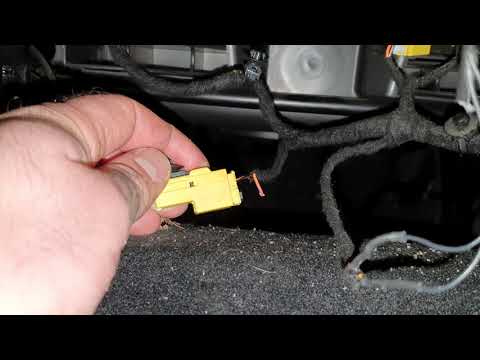
This guide shows how to repair the CodE95 error on the Opel Meriva. On the second version of this vehicle, the airbag connectors located under the se…
Other guides you may be interested in
|
Frequently Asked QuestionsHow to Open a Stuck Boot on the Peugeot 407?
On the Peugeot 407, the boot may become stuck, possibly due to a problem with the control button or the lock actuator. In such cases, you can perform an emergency opening by following the simple procedure shown in this tutorial. First, open the rear doors, then lower the seat back by operating the release lever. Next, go inside the boot, locate the lock, and manually operate it using a flathead screwdriver. The boot will then be free to open. by ScegliAuto More videos
|
|
For advertising on this site Write to info@scegliauto.com
ScegliAuto is not responsible for any inaccuracy of the data in the lists. To report any inaccuracy or your business (if you own the business in question), please write to info@scegliauto.com
Number of seconds to generate the page: 0.218
(c) ScegliAuto 2026 - info@scegliauto.com - Privacy policy VAT number: IT01247470535 |
