
|
Do it yourself
| |||
| ||||


How to update the infotainment system of a Stellantis group car
Model: Vauxhall Opel Various
In this video we can see how to update the infotainment system of a Stellantis group car; in this specific case it is an Opel: so we download the MyOpel application on our computer and then enter the model and VIN code of our car. We will be shown all the available updates for our car, so we choose the update we want to download and select "download". At this point we need a USB stick formatted in FAT32, and the youtuber provides us with all the instructions to do this formatting. After downloading the update, we put our USB stick in the car's console; the update will start automatically. It takes up to a maximum of 120 minutes, during which the engine must remain on. It is not advisable to travel, and it is absolutely forbidden to interrupt the operation.
Posted on 5 May 2025 by ScegliAuto
Video tutorial
Related tutorials
Vauxhall Opel Various
In order to reset the infotainment system on Opel vehicles, you will need to insert the ignition key into the slot and turn it to also turn on the in…

Vauxhall Opel Various
Resetting the service light on Opel vehicles is a very simple task that can be done independently. To access the service menu, insert the key into th…
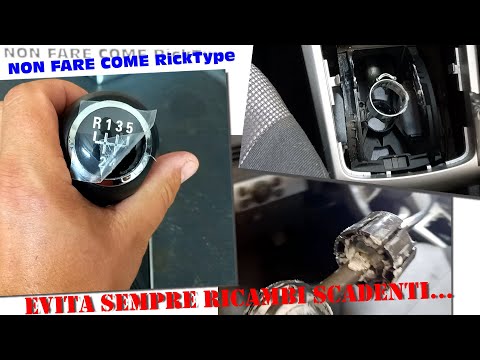
Vauxhall Opel Various
In this video, we see how to change the gear gaiter and knob on an Opel car: start by removing the panel under the handbrake, then lever off the gear…
Other guides you may be interested in
|
How to Open a Stuck Boot on the Peugeot 407?
On the Peugeot 407, the boot may become stuck, possibly due to a problem with the control button or the lock actuator. In such cases, you can perform an emergency opening by following the simple procedure shown in this tutorial. First, open the rear doors, then lower the seat back by operating the release lever. Next, go inside the boot, locate the lock, and manually operate it using a flathead screwdriver. The boot will then be free to open. by ScegliAuto More videos
|
|
For advertising on this site Write to info@scegliauto.com
ScegliAuto is not responsible for any inaccuracy of the data in the lists. To report any inaccuracy or your business (if you own the business in question), please write to info@scegliauto.com
Number of seconds to generate the page: 0.067
(c) ScegliAuto 2026 - info@scegliauto.com - Privacy policy VAT number: IT01247470535 |
