
|
Do it yourself
| |||
| ||||


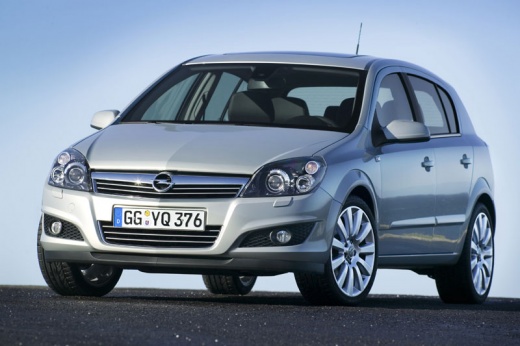
How do you program the key for the Opel Astra H?
Model: Vauxhall Astra
Astra H
- Years 2004-2010
Certainly it is not a DIY operation, you need to have specific software and usually these are available at specialized key duplication centers. Regarding the key/remote of the Opel Astra H, but in general of any car, the blank key, the one to be programmed, is inserted into the instrument panel, then through the aforementioned PC, connected via cable to the Obd socket, the car model is searched for, the code of the ECU is read and this code is copied into the transponder of the key in question. There you go, the key can now be safely used.
Posted on 26 October 2025 by ScegliAuto
Video tutorial
Related tutorials
Vauxhall Astra
(2004-2010 /
Astra H)
In this tutorial, you will see how to program a new remote key on an Opel Astra, a very simple and quick operation. To do this, you will obviously ne…
Vauxhall Astra
(1998-2006 /
Astra G)
In this guide, we will see how to program the remote for central locking on the Opel Astra G, as well as on the Zafira. First, get inside the vehicle…

Vauxhall Astra
(1998-2006 /
Astra G)
Reprogramming the key of the Opel Astra model G, after replacing the battery, is a procedure that can be done in three simple steps. The first step i…
Other guides you may be interested in
|
Frequently Asked QuestionsHow to Replace the Battery on a Honda Vision 110
To replace the battery on a Honda Vision 110, you need to remove the front fairing of the motorcycle, located directly under the front headlamp. To loosen this panel, unscrew the two screws found at its top, just below the handlebar. Once these screws are loosened, lever under the panel to detach it, gaining access to the battery underneath: this battery must be removed from its housing by unscrewing the fixing screws and disconnecting the power cables, replacing it with a new one. by ScegliAuto More videos
|
|
For advertising on this site Write to info@scegliauto.com
ScegliAuto is not responsible for any inaccuracy of the data in the lists. To report any inaccuracy or your business (if you own the business in question), please write to info@scegliauto.com
Number of seconds to generate the page: 0.357
(c) ScegliAuto 2026 - info@scegliauto.com - Privacy policy VAT number: IT01247470535 |
