
|
Do it yourself
| |||
| ||||


Clutch Disc Replacement
Model: Vauxhall Vectra
Vectra B, MK 2
- Years:
1995, 1996, 1997, 1998, 1999, 2000, 2001, 2002
Video tutorial
Replacing the clutch is a laborious task as it is necessary to dismantle the entire clutch assembly. Start by removing the engine and support assembly to work easily on the clutch. Lift the vehicle, secure it, and undo the bolts of the clutch cover and all connected parts. Remove the wheel and take out the drive shafts. Remove the clutch and dismantle the disc by taking off the securing nuts. Clean the parts and fit the new clutch, securing it properly. Check that other transmission components are not compromised, then reassemble the cover and secure it adequately. Reconnect and reinstall all previously removed parts in reverse order. Verify the proper functioning of the replaced component.
Updated on 8 February 2026 by ScegliAuto
Related tutorials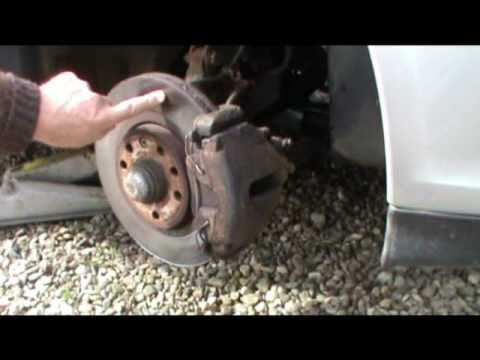
Vauxhall Vectra
(1995-2002 /
Vectra B, MK 2)
Necessary tools for the operation include: torque wrench, ratchet wrench, Allen key, hammer, wire brush, and pliers. Remove the retaining springs fro…

Vauxhall Vectra
(2002-2008 /
Vectra C, MK 3)
To replace the clutch on the Opel Vectra, loosen the bolts securing the front wheels and completely remove them. After removal, detach the hub of eac…

Vauxhall Vectra
(2002-2008 /
Vectra C, MK 3)
Before proceeding to replace the rear shock absorbers in the Ford Vectra C, position your car on a flat surface or on a ramp. This ensures you can wo…
Other guides you may be interested in
|
How to reset the tyre pressure warning light on the Dacia Sandero?
The tyre pressure warning light that appears on the instrument cluster of the Dacia Sandero can be reset by inflating the tyres until they reach the correct pressure value: this value is indicated on the sticker attached to the driver’s door pillar. Once the inflation is complete, navigate through the menu that appears on the instrument cluster to find the option related to the tyres: select this with the OK button, which should then be held down for a few seconds to completely turn off the light. by ScegliAuto More videos
|
|
For advertising on this site Write to info@scegliauto.com
ScegliAuto is not responsible for any inaccuracy of the data in the lists. To report any inaccuracy or your business (if you own the business in question), please write to info@scegliauto.com
Number of seconds to generate the page: 0.053
(c) ScegliAuto 2026 - info@scegliauto.com - Privacy policy VAT number: IT01247470535 |
