
|
Do it yourself
| |||
| ||||


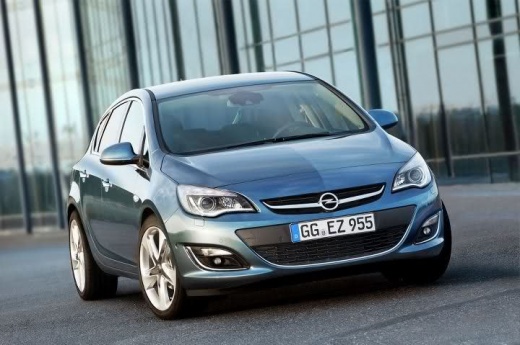
How to Reset the Oil Warning Light on an Opel Astra
Model: Vauxhall Astra
Astra J
- Years 2009-2016
Video tutorial
Detailed instructions - In this very short video tutorial, you will see the procedure necessary to reset the service light, which relates to the remaining life of the engine oil, on an Opel Astra, model "J" produced from 2009 to 2016. First, turn on the instrument panel without starting the engine, then press the "menu" button located on the right stalk of the steering wheel to open the menu on the information display of the speedometer. Once done, select the option related to the remaining life of the engine oil using the "SET/CLR" button and finally confirm the reset as shown in the video.
Updated on 23 July 2026 by ScegliAuto
Related tutorials
Vauxhall Astra
(1998-2006 /
Astra G)
When the oil warning light illuminates on a 2005 Opel Astra model G, it indicates that the engine oil needs to be replaced and the warning light must…
Vauxhall Astra
(2015-2022 /
Astra K)
Resetting the oil warning light on the 2015 Opel Astra K follows a very simple procedure that allows you to perform the steps independently, also tha…
Vauxhall Astra
(2015-2022 /
Astra K)
If you have just changed the engine oil in your Opel Astra K but the yellow warning light continues to stay on, you must proceed with the following m…
Other guides you may be interested in
|
How to Remove the Rear Seats of the Toyota Yaris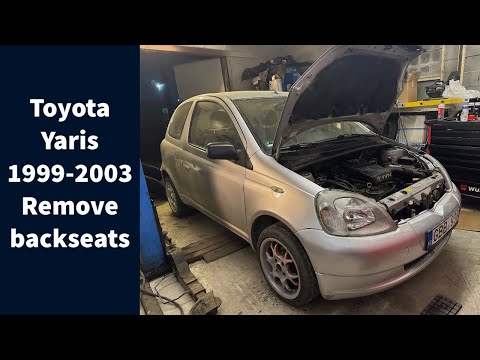
Today's guide will show you the procedure on how to remove and replace the rear seats of the Toyota Yaris, following the instructions below. First, open the tailgate and start reclining the rear seatbacks; then unscrew all the fixing screws found at their base to completely remove the seatbacks, as shown in the video. At this point, also remove the rear bench seat to complete the removal of the seats; all that remains is to refit all the rear seats, applying the reverse procedure! by ScegliAuto More videos
|
|
For advertising on this site Write to info@scegliauto.com
ScegliAuto is not responsible for any inaccuracy of the data in the lists. To report any inaccuracy or your business (if you own the business in question), please write to info@scegliauto.com
Number of seconds to generate the page: 0.118
(c) ScegliAuto 2026 - info@scegliauto.com - Privacy policy VAT number: IT01247470535 |
