
|
Do it yourself
| |||
| ||||


How to replace the battery of the Opel Insignia
Model: Vauxhall Insigna
MK 1, Insigna A
- Years 2008-2017
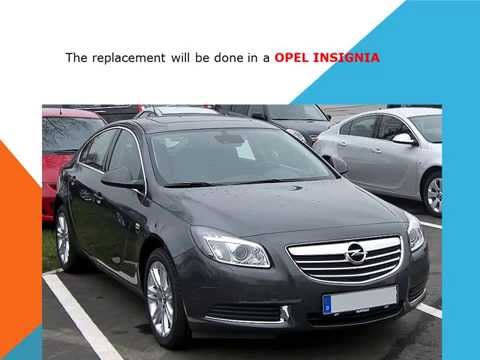
If you want to replace the battery of your Opel Insignia, but you don't know the steps to follow, then all you have to do is read the following guide carefully and apply the described procedure. First of all, make sure you have parked the vehicle on a flat surface and turned it off completely. Immediately after, lift the front hood and locate the battery on the right side. At this point, remove the protective cover and proceed with the removal of both poles. Finally, remove the battery and replace it with a new one.
Posted on 12 July 2024 by ScegliAuto
Video tutorial
Related tutorials
Vauxhall Insigna
(2008-2017 /
MK 1, Insigna A)
Today we will explain how to replace the headlight bulb of the Opel Insigna on your own. To perform the replacement, it is necessary to remove the he…
Vauxhall Insigna
(2008-2017 /
MK 1, Insigna A)
How do you replace the pollen filter fitted in an Opel Insignia? Follow these steps for removal: open the glove compartment, unscrew the perimeter sc…

Vauxhall Insigna
(2008-2017 /
MK 1, Insigna A)
In this tutorial, we can see how to reset the service indicator in the Opel Insignia, a very simple and quick operation that should be done only afte…
Other guides you may be interested in
|
How to Reset the Oil Maintenance Service on a Fiat 500X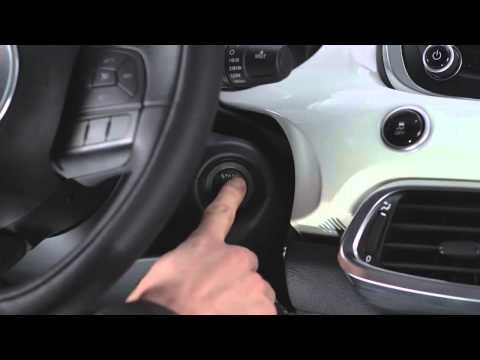
In this video, learn how to reset the oil maintenance service on a Fiat 500X. This is a very simple operation. Enter the vehicle and turn on the instrument cluster using the button next to the steering wheel. Press the accelerator pedal three times in quick succession, then release the pedal. Turn off the instrument cluster, then turn it back on and wait for it to illuminate. Finally, check the changes made to the car. Always remember to make adjustments to the onboard computer with the engine off. by ScegliAuto More videos
|
|
For advertising on this site Write to info@scegliauto.com
ScegliAuto is not responsible for any inaccuracy of the data in the lists. To report any inaccuracy or your business (if you own the business in question), please write to info@scegliauto.com
Number of seconds to generate the page: 0.076
(c) ScegliAuto 2026 - info@scegliauto.com - Privacy policy VAT number: IT01247470535 |
