
|
Do it yourself
| |||
| ||||


Vauxhall Vivaro - BatteryBattery Vauxhall Vivaro (2014-2019 / mk 2) Vauxhall Vivaro (2014-2019 / MK 2)
Replacing the Battery on an Opel Vivaro 1.6 CDTi Here are step-by-step instructions on how to remove and replace the battery on an Opel Vivaro 1.6 CDTi. First, open the vehicle's bonnet and start by removing …Read all… Posted on 4 March 2026 by ScegliAuto  Vauxhall Vivaro (2001-2014 / MK 1)
How to change the battery in an Opel Vivaro In this video, we see the steps to follow in order to change the battery of an Opel Vivaro vehicle. As we can see, the battery location is not the standard one …Read all… Posted on 24 November 2024 by ScegliAuto  Vauxhall Vivaro (2014-2019 / MK 2)
How do you replace the battery of the Opel Vivaro? In order to replace the battery of the Opel Vivaro, you need to open the hood so that you can access the components in the engine compartment: in the top right …Read all… Posted on 26 September 2024 by ScegliAuto  Vauxhall Vivaro (2001-2014 / MK 1)
How to replace the battery in the Opel Vivaro van? Replacing the battery in the Opel Vivaro van is an extremely simple and quick operation, let's see how to proceed in this tutorial. First of all, make sure …Read all… Posted on 15 July 2024 by ScegliAuto 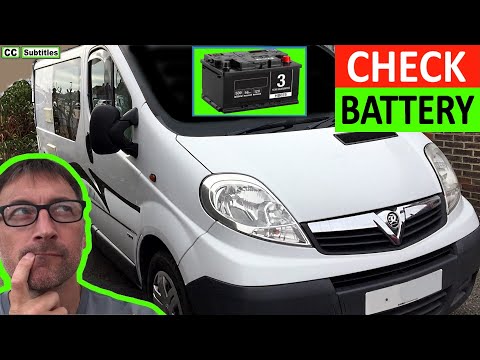 Vauxhall Vivaro (2001-2014 / MK 1)
How to Locate the Battery of the Opel Vivaro This guide shows how to locate the position of the battery in the Opel Vivaro. You need to enter the cabin to perform this operation. On the floor, on the …Read all… Posted on 8 July 2026 by ScegliAuto Battery Vauxhall Vivaro (2001-2014 / mk 1)
Vauxhall Vivaro (2014-2019 / MK 2)Replacing the Battery on an Opel Vivaro 1.6 CDTi Here are step-by-step instructions on how to remove and replace the battery on an Opel Vivaro 1.6 CDTi. First, open the vehicle's bonnet and start by removing …Read all… Posted on 4 March 2026 by ScegliAuto
Vauxhall Vivaro (2001-2014 / MK 1)How to change the battery in an Opel Vivaro In this video, we see the steps to follow in order to change the battery of an Opel Vivaro vehicle. As we can see, the battery location is not the standard one …Read all… Posted on 24 November 2024 by ScegliAuto
Vauxhall Vivaro (2014-2019 / MK 2)How do you replace the battery of the Opel Vivaro? In order to replace the battery of the Opel Vivaro, you need to open the hood so that you can access the components in the engine compartment: in the top right …Read all… Posted on 26 September 2024 by ScegliAuto
Vauxhall Vivaro (2001-2014 / MK 1)How to replace the battery in the Opel Vivaro van? Replacing the battery in the Opel Vivaro van is an extremely simple and quick operation, let's see how to proceed in this tutorial. First of all, make sure …Read all… Posted on 15 July 2024 by ScegliAuto
Vauxhall Vivaro (2001-2014 / MK 1)How to Locate the Battery of the Opel Vivaro This guide shows how to locate the position of the battery in the Opel Vivaro. You need to enter the cabin to perform this operation. On the floor, on the …Read all… Posted on 8 July 2026 by ScegliAuto Airbag (2) Air conditioning (1) Car stereo (3) Battery (5) Air vents (1) Transmission (3) Glow plugs (2) Body (1) Key (7) Timing belt (8) V-belt (2) A/C controls (1) Onboard computer (10) Checks and maintenance (17) Headlight (1) Tail light (4) Fog lights (1) Diesel particulate filter (1) Air filter (4) Cabin air filter (4) Diesel fuel filter (4) Oil filter (4) Fuel injectors (2) Accessory kit (1) Light bulb (1) Headlight bulb (5) Tail light bulb (2) Instrument panel light (1) License plate light (2) Handle (1) Engine (1) Starter motor (12) Engine oil (6) Clock (15) Door trim panel (3) Front bumper (3) Brake pads (3) Shift knob (2) Pump (1) Car door (2) Push button (1) Instrument cluster (5) Fuse box (40) Seat (6) Crankshaft position sensor (1) Door lock (1) Side mirror (1) AdBlue warning light (10) Warning light – error code (17) (4) Tire pressure warning light (1) Service warning light (83) Windshield wipers (1) Turbocharger (1) EGR valve (4) |
How to reset the tyre pressure warning light on the Dacia Sandero?
To reset the tyre pressure warning light on the Dacia Sandero, inflate all the tyres to the pressure indicated on the label on the driver's door. Once the tyres are inflated, turn on the ignition and navigate through the menu using the controls on the right side of the steering wheel. Scroll with the arrows to find the tyre pressure option: by holding down the OK button located on the right side of the steering wheel, you can reset the warning light. by ScegliAuto More videos
|
|
For advertising on this site Write to info@scegliauto.com
ScegliAuto is not responsible for any inaccuracy of the data in the lists. To report any inaccuracy or your business (if you own the business in question), please write to info@scegliauto.com
Number of seconds to generate the page: 0.016
(c) ScegliAuto 2026 - info@scegliauto.com - Privacy policy VAT number: IT01247470535 |
