
|
Do it yourself
| |||
| ||||


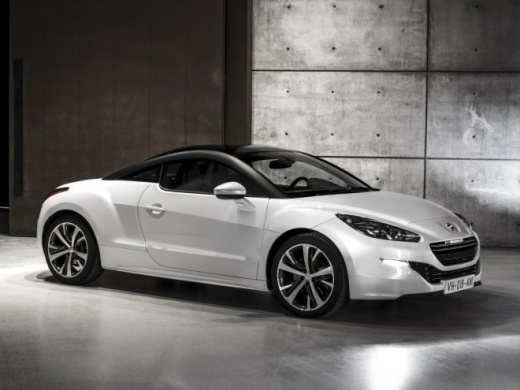
How to Reset the Tyre Pressure Light on a Peugeot RCZ?
Model: Peugeot Rcz
MK 1
- Years:
2010, 2011, 2012, 2013, 2014, 2015
Video tutorial
A tyre anomaly in a vehicle, if equipped with a specific light, is promptly indicated on the instrument cluster, meaning flat or punctured tyres. Once the issue is identified, ensure that the inflation pressure of the tyres matches the value indicated on the label located on the driver's door frame. At this point, with the tyres correctly inflated, simply drive the vehicle; after a few miles at a moderate speed, the control unit will acquire the new pressure values via the sensors and turn off the warning light.
Posted on 28 March 2026 by ScegliAuto
Related tutorials
Peugeot Rcz
(2010-2015 /
MK 1)
It will be possible to make the tire pressure warning light of the Peugeot RCZ disappear completely by inflating the tires to the optimal pressure va…

Peugeot Rcz
(2010-2015 /
MK 1)
If you own a 2012 Peugeot RCZ and want to learn how to manually reset the service light quickly and correctly, read this guide and follow the steps o…

Peugeot Rcz
(2010-2015 /
MK 1)
In this tutorial, you will learn how to replace the mirror caps on a Peugeot RCZ, a very simple and quick operation. First, position yourself in fron…
Other guides you may be interested in
|
How to Reset the Tire Pressure Light on a MG ZS?
On the instrument cluster of the MG ZS, the tire pressure light that appears can be reset by inflating the tires to the correct pressure: this value will be indicated on the sticker attached to the driver's door pillar. Once the tires have been properly inflated, you can turn on the instrument cluster and navigate through the menu until you find the option that indicates tire pressure: if this screen shows the new values, the light will turn off; otherwise, you will need to drive for a few miles so that the sensors can read the new values and turn off the light afterward. by ScegliAuto More videos
|
|
For advertising on this site Write to info@scegliauto.com
ScegliAuto is not responsible for any inaccuracy of the data in the lists. To report any inaccuracy or your business (if you own the business in question), please write to info@scegliauto.com
Number of seconds to generate the page: 0.027
(c) ScegliAuto 2026 - info@scegliauto.com - Privacy policy VAT number: IT01247470535 |
