
|
Do it yourself
| |||
| ||||


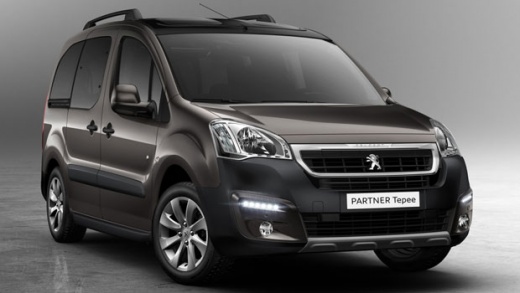
Replacing Knobs and Heating Bulbs on Peugeot Partner and Citroen Berlingo
Model: Peugeot Partner Tepee
B9
- Years:
2008, 2009, 2010, 2011, 2012, 2013, 2014, 2015, 2016, 2017, 2018
Video tutorial
First, insert the appropriate double needles or small Allen keys into the four holes at the corners of the radio and, once fully inserted, pull it out (disconnect the antenna and all cables). Unscrew the two screws located at the top of the radio compartment. Now, using plastic levers, remove the upper plate that frames the small central display and unscrew the two screws now exposed. Still using the plastic wedge, remove the entire central dashboard plate. In the same way, or with a small flat screwdriver, disassemble the area where the heating controls are located.
Updated on 4 April 2026 by ScegliAuto
Related tutorials
Peugeot Partner Tepee
(2008-2018 /
B9)
How to replace the bulbs of the control panel on a Peugeot Partner (or a Citroen Berlingo)? Follow the video: get a pocket mirror and a 10mm "L" sock…
Peugeot Partner Tepee
(2008-2018 /
B9)
This guide shows you how to remove and replace the number plate bulb on the Peugeot Partner, as well as the Citroen Berlingo. First, open the tailgat…

Peugeot Partner Tepee
(2008-2018 /
B9)
First, remove the engine intake ducts by releasing the metal clips. At this point, disconnect the connector from the air filter and remove the entire…
Other guides you may be interested in
|
How to Activate the Disabled TRC on the Toyota Yaris?
As the video clearly shows, disabling or activating the traction control (TRC or ESP) on the Toyota Yaris is very simple. By default, the traction system activates every time the vehicle is started. To disable it, simply press the button depicting a skidding car located in the centre of the vehicle where the controls are, such as the hazard lights and the radio, but near the handbrake. Once disabled, the TRC off light will illuminate on the dashboard. To reactivate it, just press the same button again. by ScegliAuto More videos
|
|
For advertising on this site Write to info@scegliauto.com
ScegliAuto is not responsible for any inaccuracy of the data in the lists. To report any inaccuracy or your business (if you own the business in question), please write to info@scegliauto.com
Number of seconds to generate the page: 0.078
(c) ScegliAuto 2026 - info@scegliauto.com - Privacy policy VAT number: IT01247470535 |
