
|
Do it yourself
| |||
| ||||


How the infotainment system works in the Peugeot 308
Model: Peugeot 308
T9, MK 2
- Years 2013-2021
The infotainment system in the Peugeot 308 is an advanced system that integrates connectivity, entertainment, and information features to enhance the driving experience for drivers and passengers. The Peugeot 308 can be equipped with different generations of infotainment systems, so the availability and exact features may vary depending on the version and options of the car. Below, I will provide a general overview of the common features and functionalities of the Peugeot 308 infotainment system: 1. **Touchscreen display:** The Peugeot 308 is equipped with a centrally located touchscreen display on the dashboard, allowing intuitive and quick access to control the various features of the infotainment system. 2. **Smartphone connection:** Most versions of the Peugeot 308 infotainment system are compatible with Apple CarPlay and Android Auto, allowing iOS or Android smartphones to connect to the infotainment system. This integration enables the use of smartphone apps directly on the car's display, such as making calls, sending messages, listening to music, or using navigation apps. 3. **GPS navigation:** Some versions of the Peugeot 308 infotainment system include an integrated GPS navigation system. This system offers detailed maps, voice directions, and real-time traffic information to guide drivers to their desired destination. 4. **Radio and audio:** The infotainment system allows listening to FM radio, as well as DAB (Digital Audio Broadcasting) digital stations, if available. You can also connect external devices via Bluetooth, USB, or AUX to play your favourite music. 5. **Voice commands:** The Peugeot 308 may be equipped with an advanced voice command system that allows control of various functions using voice commands, such as making calls, changing radio stations, or setting the navigation system. 6. **Peugeot Connect services:** Some versions of the infotainment system include Peugeot Connect services, which may offer additional features such as vehicle monitoring, emergency call in case of an accident, and remote control of the car via a dedicated app. 7. **Personalisation and configuration:** The infotainment system in the Peugeot 308 may offer personalisation and configuration options to allow drivers to adjust the system settings to their preferences, such as audio settings, information displayed on the screen, and more. These are just some highlights of the features of the Peugeot 308 infotainment system. Availability and exact features may vary depending on the production year and options of the car. It is always advisable to consult the owner's manual of your specific Peugeot 308 for detailed information about the infotainment system in your vehicle.
Updated on 21 September 2026 by ScegliAuto
Video tutorial
Related tutorials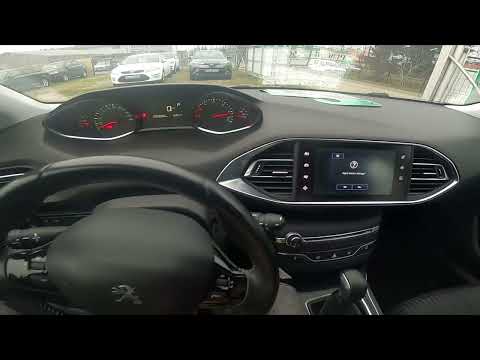
Peugeot 308
(2013-2021 /
T9, MK 2)
If the radio or infotainment system in your second series Peugeot 308 (2013-2021) is experiencing serious software issues, do not worry as you can re…

Peugeot 308
(2013-2021 /
T9, MK 2)
If the central display of the infotainment system in your Peugeot 308 has stopped working and you want to find out how to safely remove it, all you n…
Peugeot 308
(2007-2014 /
T7, MK 1)
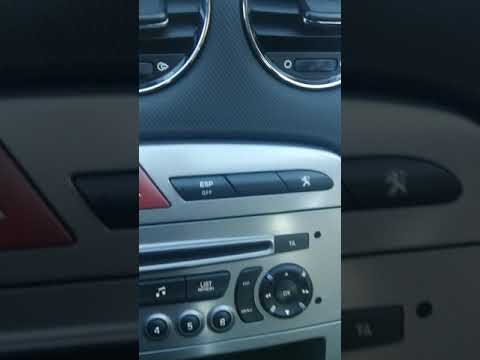
To set the time in the infotainment system of the Peugeot 308, follow these steps: Start the car and turn on the infotainment system. Ensure you are …
Other guides you may be interested in
|
How to Open a Stuck Boot on the Peugeot 407?
On the Peugeot 407, the boot may become stuck, possibly due to a problem with the control button or the lock actuator. In such cases, you can perform an emergency opening by following the simple procedure shown in this tutorial. First, open the rear doors, then lower the seat back by operating the release lever. Next, go inside the boot, locate the lock, and manually operate it using a flathead screwdriver. The boot will then be free to open. by ScegliAuto More videos
|
|
For advertising on this site Write to info@scegliauto.com
ScegliAuto is not responsible for any inaccuracy of the data in the lists. To report any inaccuracy or your business (if you own the business in question), please write to info@scegliauto.com
Number of seconds to generate the page: 0.150
(c) ScegliAuto 2026 - info@scegliauto.com - Privacy policy VAT number: IT01247470535 |
