
|
Do it yourself
| |||
| ||||


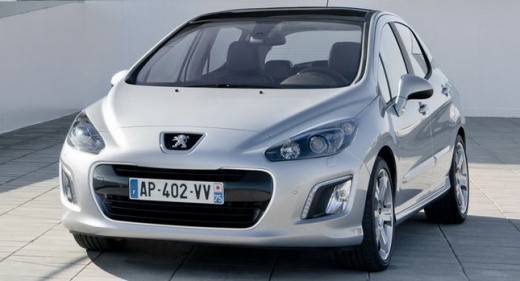
How to Install an Android Radio in a Peugeot 308
Model: Peugeot 308
T7, MK 1
- Years:
2007, 2008, 2009, 2010, 2011, 2012, 2013, 2014
Video tutorial
In this video, you can see how to install an Android radio with a screen in a first-generation Peugeot 308: Simply remove the part related to the climate control buttons inserted in the central console and then unscrew the vent located under the stereo. The latter can be removed with the appropriate keys or with the method shown by the YouTuber (four small screwdrivers inserted into the fixing holes). At this point, all that’s left is to disconnect the plugs and insert the screen of the new radio: there are many available online, we can recommend one in particular, the code B0914QQHCS on Amazon for £57.99, with free delivery for Prime customers. Once the plugs and the GPS antenna are connected, simply screw the screen back in and replace the climate control buttons. It’s ultimately a rather simple job.
Updated on 10 October 2026 by ScegliAuto
Related tutorials
Peugeot 308
(2007-2014 /
T7, MK 1)
Installing a 7-inch Android 9.0 multimedia unit in your Peugeot 308 requires a bit of patience but nothing too complicated. First of all, turn off th…

Peugeot 308
(2007-2014 /
T7, MK 1)
Today, we will show you how to install an Android car radio in a Peugeot 308. Remove the side covers of the central console using a plastic trim remo…

Peugeot 308
(2007-2014 /
T7, MK 1)
To replace the radio in a Peugeot 308, first remove the old unit: this can be done using the special keys provided when you purchased the car. Insert…
Other guides you may be interested in
|
How to reset the tyre pressure warning light on the Kia Niro EV?
To reset the tyre pressure warning light on the Kia Niro EV, inflate the tyres until they reach the correct pressure value. This value is indicated on the sticker attached to the driver's door pillar. Once the tyres are inflated, turn on the instrument cluster to check that the warning light has completely disappeared from the display. If it is still present, you may need to drive for a few miles to ensure it disappears completely from the screen. by ScegliAuto More videos
|
|
For advertising on this site Write to info@scegliauto.com
ScegliAuto is not responsible for any inaccuracy of the data in the lists. To report any inaccuracy or your business (if you own the business in question), please write to info@scegliauto.com
Number of seconds to generate the page: 0.236
(c) ScegliAuto 2026 - info@scegliauto.com - Privacy policy VAT number: IT01247470535 |
