
|
Do it yourself
| |||
| ||||


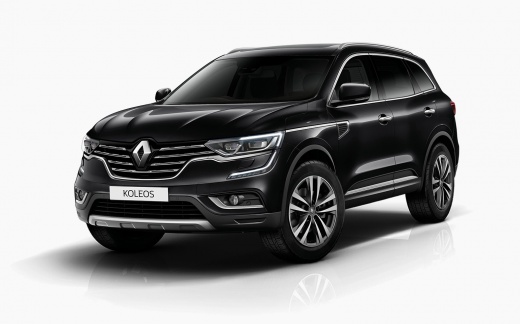
How do you activate the cruise control on the Renault Koleos?
Model: Renault Koleos
MK 2
- Years:
2016, 2017, 2018, 2019, 2020, 2021, 2022, 2023, 2024
Video tutorial
To activate the cruise control of the Renault Koleos, you must first start the engine and reach the cruising speed you wish to maintain. Once this speed is reached, you can press the button to activate the cruise control, which is located on the left side of the steering wheel. Once activated, you can also release the accelerator pedal to check that the speed will be maintained. You can use the + and - buttons, also located on the left side, to adjust the speed. Additionally, you can deactivate it by pressing the activation button again.
Posted on 31 December 2025 by ScegliAuto
Related tutorials
Renault Koleos
(2008-2015 /
MK 1)
In today's video tutorial, see how to disable or activate the traction control on a Renault Koleos by following the instructions below. First, get in…

Renault Koleos
(2008-2015 /
MK 1)
To program the remote control of the Renault Koleos car, we need to get inside the vehicle while keeping the remote control with us. From inside the …
Renault Koleos
(2008-2015 /
MK 1)
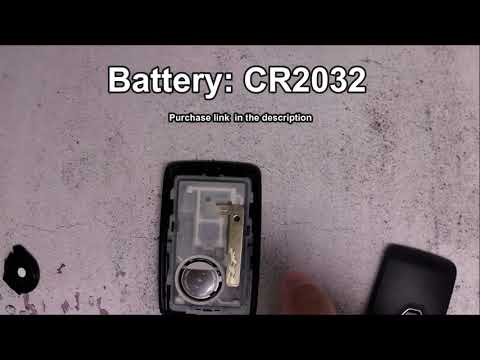
To replace the battery in the remote control of a Renault Koleos, you need to slide off the plastic panel located on the back of the device to access…
Other guides you may be interested in
|
How to Activate the Automatic Folding and Unfolding of the Wing Mirrors on the Jeep Compass
Follow these brief instructions to activate the automatic folding and unfolding of the external wing mirrors on the Jeep Compass. First, get inside the vehicle and turn on the ignition; then press the button located beneath the mirror glass adjustment to electrically open the mirror, as shown in the video. Pressing the button in the opposite direction will close the mirrors; by holding the button, the mirrors will open and close automatically! by ScegliAuto More videos
|
|
For advertising on this site Write to info@scegliauto.com
ScegliAuto is not responsible for any inaccuracy of the data in the lists. To report any inaccuracy or your business (if you own the business in question), please write to info@scegliauto.com
Number of seconds to generate the page: 0.026
(c) ScegliAuto 2026 - info@scegliauto.com - Privacy policy VAT number: IT01247470535 |
