
|
Do it yourself
| |||
| ||||


How to Reset the Service Light in the Smart ForTwo?
Model: Smart Smart
453
- Years 2014-2022
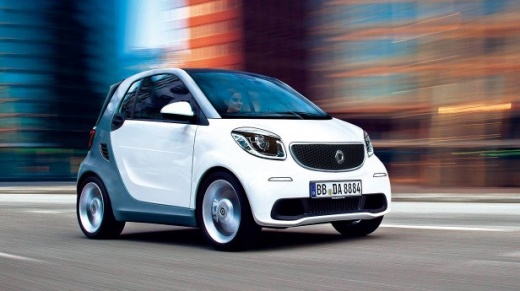
In this tutorial, you will see how to reset the service light in the Smart ForTwo, a very simple and quick operation to perform only after completing all scheduled maintenance tasks. First, go inside the cabin, then insert the key and turn on the ignition. Next, scroll through the various display screens using the directional arrows on the steering wheel, reach the service screen, and hold the "OK" button until the interval resets correctly. To complete the procedure, simply restart the vehicle.
Posted on 6 June 2026 by ScegliAuto
Video tutorial
Related tutorials
Smart
(2014-2022 /
453)
Following these brief and simple instructions, we will see how to reset the maintenance reminder for the engine oil change of the Smart Fortwo. First…

Smart
(2007-2015 /
451)
Today, you will discover the indications and instructions that will allow you to reset the service light for the regular maintenance oil change of th…

Smart
(2014-2022 /
453)
Good morning, today I will guide you through the process of resetting the partial trip on your Smart ForTwo. To begin, let's carefully enter the car.…
Other guides you may be interested in
|
Frequently Asked QuestionsHow to Replace the Remote Battery for the Volvo XC40?
In this tutorial, you will see how to replace the battery in the remote for the Volvo XC40, a very simple and quick operation. For this, you will need a replacement battery of type CR2032 and possibly a small flathead screwdriver. First, remove the front cover by pressing the button on the metal ring, then locate the second button, press it as well, and remove the opposite cover. Next, open the circular cap, take out the old battery, and insert the new one in the opposite direction. Finally, reassemble everything. by ScegliAuto More videos
|
|
For advertising on this site Write to info@scegliauto.com
ScegliAuto is not responsible for any inaccuracy of the data in the lists. To report any inaccuracy or your business (if you own the business in question), please write to info@scegliauto.com
Number of seconds to generate the page: 0.215
(c) ScegliAuto 2026 - info@scegliauto.com - Privacy policy VAT number: IT01247470535 |
