
|
Do it yourself
| |||
| ||||


How to reset the gearbox on a Smart?
Model: Smart Smart
- Years 2014-2021
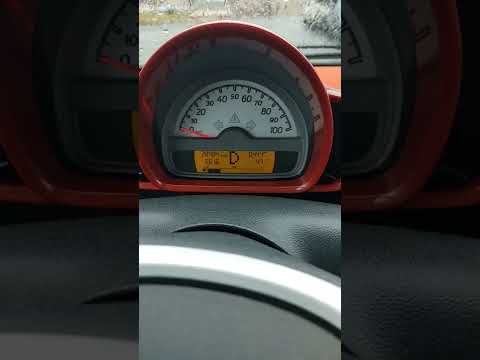
If you encounter malfunctions with the automatic gearbox of your vehicle, where three dashes appear on the display instead of the letter N, proceed as follows to reset it. The issue can be resolved using a diagnostic tool that must support the guided diagnostic function for the detected error code. In this case, the tool will provide a series of instructions describing the following procedure: - ensure the battery voltage is stable; - turn on the ignition; - select "N"; - press the pedal for about 5 seconds. If the procedure starts correctly, a sequence of adaptations for the electric gearbox will begin: you will hear the actuators of the transmission working and adjusting the neutral position. The letter "N" will appear on the instrument panel, and you will be able to start the engine.
Updated on 7 July 2026 by ScegliAuto
Video tutorial
Related tutorials
Smart
(2004-2006 /
454, Fourfour1)
Before you begin, sit in the driver's seat of your Smart ForTwo. To carry out this removal safely, it is strongly recommended to switch off the engin…
Smart
(2007-2015 /
451)
Today's guide will briefly explain how to use the automatic gearbox on the Smart Fortwo, following these simple and quick steps. First, get in the ve…
Smart
(2007-2015 /
451)
Today's guide will show you how the automatic gearbox works on the Smart Fortwo, following these simple steps. First, get in the vehicle and start th…
Other guides you may be interested in
|
Frequently Asked QuestionsHow to Reset the Central Locking of the Volkswagen Golf 4?
If the central locking system of the Volkswagen Golf 4 is not working, it is likely necessary to reset the system: to do this, open the driver's door and detach the side panel of the dashboard next to the steering wheel. Under this panel, you will find the fuses, including the one for the central locking, which is indicated in the manual as number 14. To reset the system, remove this fuse from its housing, then reinsert it or replace it with a new one of the same amperage: this will reset the central locking system. by ScegliAuto More videos
|
For advertising on this site Write to info@scegliauto.com
ScegliAuto is not responsible for any inaccuracy of the data in the lists. To report any inaccuracy or your business (if you own the business in question), please write to info@scegliauto.com
Number of seconds to generate the page: 0.115
(c) ScegliAuto 2026 - info@scegliauto.com - Privacy policy VAT number: IT01247470535 |
