
|
Do it yourself
| |||
| ||||


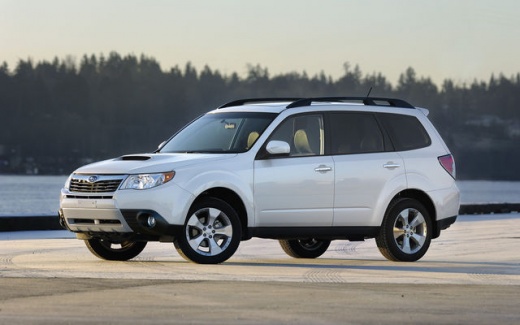
Changing the Tyre Pressure Measurement Unit on the Subaru
Model: Subaru Forester
MK 3, SH
- Years:
2008, 2009, 2010, 2011
Video tutorial
The tyre pressure monitoring system on our Subaru Forester can be set to different measurement units depending on the country of use. To choose the most suitable unit, sit in the driver's seat and start the vehicle, put the gearbox in neutral, and by using the "I Set" lever located on the lower left of the steering column, activate the menu and navigate with the arrow keys to find the "tyre pressure unit" option. Select the desired unit and confirm with "I Set". Turn off the car and upon restarting, check the accuracy of the operation.
Updated on 19 August 2026 by ScegliAuto
Related tutorials
Subaru Forester
(2012-2019 /
MK 4, SJ)
To reset the Service light on the Subaru Forester, first inflate the tyres to the correct pressure value, which is indicated on the sticker inside th…

Subaru Forester
(2012-2019 /
MK 4, SJ)
Weather conditions also affect the tyre pressure of your car, just like with Subaru vehicles, specifically here we focus on the Subaru Forester. When…

Subaru Forester
(2012-2019 /
MK 4, SJ)
The tyre pressure light on the Subaru Forester can be reset by first inflating the car's tyres to the correct pressure value: this value is indicated…
Other guides you may be interested in
|
How to Remove the Toll Tag Holder from the Car Windscreen
The toll tag holder is usually attached to the car windscreen to ensure that the toll tag functions immediately when passing through barriers. However, if you decide to remove the holder, you should follow this procedure: - Insert the toll tag into the holder; - Pull the holder inwards to detach it from the windscreen; you can use a glass scraper or a stiff plastic card to assist you; After removing the holder, it is essential to remove the adhesive from the windscreen. To remove the adhesive, we recommend using a solvent-based spray that will remove the glue without clouding the area. by ScegliAuto More videos
|
|
For advertising on this site Write to info@scegliauto.com
ScegliAuto is not responsible for any inaccuracy of the data in the lists. To report any inaccuracy or your business (if you own the business in question), please write to info@scegliauto.com
Number of seconds to generate the page: 0.088
(c) ScegliAuto 2026 - info@scegliauto.com - Privacy policy VAT number: IT01247470535 |
