
|
Do it yourself
| |||
| ||||


How the Suzuki Start & Stop system works
Model: Suzuki Suzuki Various
Video tutorial
This video explains how the Suzuki Start & Stop system works: the function of this system is to stop the engine of the vehicle at a traffic light or during a queue to reduce emissions. But how does it work? For example, when we stop at a traffic light, we need to put the gear in neutral and release the clutch; to start moving again, simply press the accelerator or the clutch to engage the gear. For automatic transmissions, everything works automatically: just keep the brake pressed and the vehicle will turn off, then it will restart by pressing the accelerator. When the message 'start & stop not available' appears on the dashboard, it means that not all necessary conditions have been met: the engine must be at temperature; seat belts must be fastened; air conditioning must be off. Many people wonder if these frequent starts could damage the starter motor, but the Start & Stop system restarts the engine using the alternator, not the starter motor; the alternator is a very different device from that fitted in cars without this component, so there is no risk of damage.
Updated on 29 January 2026 by ScegliAuto
Related tutorials
Suzuki Suzuki Various
In this video, you will see how the Suzuki infotainment system works; it features a 7" screen compatible with Apple CarPlay and Android Auto, and is …

Suzuki Suzuki Various
In this video, we are explained in a clear and quick way how the hill holder system works on Suzuki cars: when the car is stopped on a slope and we r…
Suzuki Suzuki Various
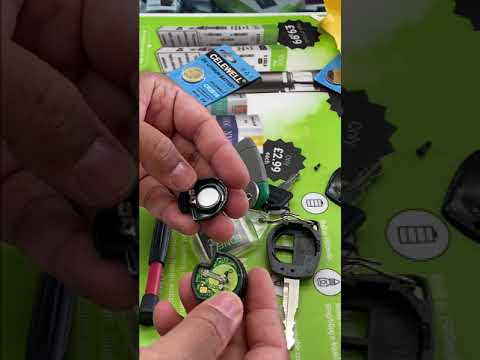
If your key no longer works, you need to replace the battery. To access the battery on this type of Suzuki key, remove the small screw on it to take …
Other guides you may be interested in
|
Frequently Asked QuestionsHow to Change the Time on the Peugeot 208
Today's guide will show you how to set the clock on the Peugeot 208's onboard computer, following the instructions below. First, get in the car and turn on the instrument panel; then press and hold the settings button on the panel for a few seconds until the time starts to flash, as shown in the video. At this point, press the left button to correctly set the time, adjusting the hour first and then the minutes; exit the onboard computer menu to save all the changes made! by ScegliAuto More videos
|
|
For advertising on this site Write to info@scegliauto.com
ScegliAuto is not responsible for any inaccuracy of the data in the lists. To report any inaccuracy or your business (if you own the business in question), please write to info@scegliauto.com
Number of seconds to generate the page: 0.059
(c) ScegliAuto 2026 - info@scegliauto.com - Privacy policy VAT number: IT01247470535 |
