
|
Do it yourself
| |||
| ||||


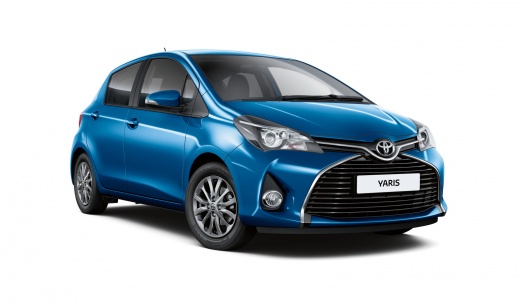
How to reset the TPMS light on the Toyota Yaris
Model: Toyota Yaris
Xp130
- Years 2011-2019
Resetting the tire pressure warning light on a Toyota Yaris is a simple and quick operation to perform independently, as all Yaris vehicles have a reset button. Get into the car and press the SET button located under the steering wheel. Keep the button pressed while the vehicle's instrument panel is active, and the warning light will start flashing before turning off completely. If the light does not reset automatically through these steps, it will be necessary to go to a workshop to have a computerized diagnosis performed.
Posted on 20 October 2025 by ScegliAuto
Video tutorial
Related tutorials
Toyota Yaris
(2011-2019 /
Xp130)
Resetting the TPMS light, related to tire pressure, is a simple and quick operation that can be done independently on the 2014 Toyota Yaris. To reset…

Toyota Yaris
(2011-2019 /
Xp130)
Shortly, we will see how to reset the tire pressure warning light of the Toyota Yaris; before resetting the TPMS sensors, it is necessary that all fo…

Toyota Yaris
(2011-2019 /
Xp130)
These short and simple steps will show us how to reset the tire pressure warning light (TPMS) on the Toyota Yaris; before resetting the light, it is …
Other guides you may be interested in
|
Frequently Asked QuestionsHow to Replace the Cabin Filter on the Opel Grandland X
If you own an Opel Grandland X and want to know the steps to replace the cabin air filter, carefully read the following guide and follow the described steps. First, enter the vehicle and go to the passenger side. Then, locate the box containing the air filter in the lower side area of the dashboard. Remove the cover of the box and finally replace the old filter with the new one. Refit the cover, and you are done. by ScegliAuto More videos
|
|
For advertising on this site Write to info@scegliauto.com
ScegliAuto is not responsible for any inaccuracy of the data in the lists. To report any inaccuracy or your business (if you own the business in question), please write to info@scegliauto.com
Number of seconds to generate the page: 0.066
(c) ScegliAuto 2026 - info@scegliauto.com - Privacy policy VAT number: IT01247470535 |
