
|
Do it yourself
| |||
| ||||


How to Reset the Fuel Warning Light on a Toyota Hi Lux
Model: Toyota HiLux
An30, An20, MK 7, An10
- Years 2005-2015
Today, you will learn how to reset the fuel warning light on a Toyota Hi Lux vehicle. To reset the light, turn off the vehicle's instrument cluster and pull the hood release lever. Standing in front of the hood, disconnect the fuel filter connector. After disconnecting the connector, get inside the vehicle and turn on the instrument cluster, keeping it active for 20 seconds. Then, turn off the instrument cluster and reconnect the fuel filter connector. Turn on the instrument cluster to verify that the light has been reset.
Posted on 1 March 2026 by ScegliAuto
Video tutorial
Related tutorials
Toyota HiLux
(2005-2015 /
An30, An20, MK 7, An10)
Today, you will learn how to reset the timing belt warning light on a Toyota Hi Lux vehicle. To perform this simple operation, keep the instrument cl…

Toyota HiLux
(2005-2015 /
An30, An20, MK 7, An10)
If you are experiencing malfunctions in the control unit of your Toyota Hi Lux and want to identify the causes using a specific diagnostic tool, then…
Toyota HiLux
(2015-2024 /
An130, An120, MK 8)
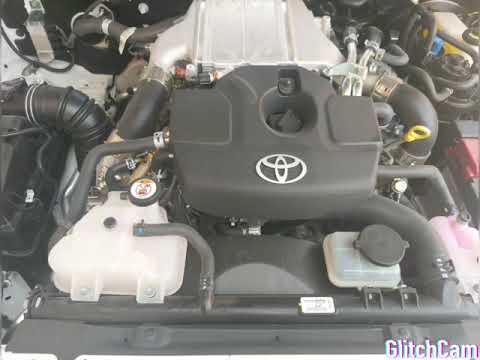
In this video tutorial, you will learn how to reset the AdBlue system on the Toyota Hi Lux. When the warning light for the system appears on your das…
Other guides you may be interested in
|
How to Reset the Central Locking of the Volkswagen Golf 4?
If the central locking system of the Volkswagen Golf 4 is not working, it is likely necessary to reset the system: to do this, open the driver's door and detach the side panel of the dashboard next to the steering wheel. Under this panel, you will find the fuses, including the one for the central locking, which is indicated in the manual as number 14. To reset the system, remove this fuse from its housing, then reinsert it or replace it with a new one of the same amperage: this will reset the central locking system. by ScegliAuto More videos
|
|
For advertising on this site Write to info@scegliauto.com
ScegliAuto is not responsible for any inaccuracy of the data in the lists. To report any inaccuracy or your business (if you own the business in question), please write to info@scegliauto.com
Number of seconds to generate the page: 0.339
(c) ScegliAuto 2026 - info@scegliauto.com - Privacy policy VAT number: IT01247470535 |
