
|
Do it yourself
| |||
| ||||


Oxygen Sensor Replacement Instructions
Model: Toyota Yaris
Xp10
- Years 1999-2005
The oxygen sensor, or lambda probe as we commonly refer to it, plays a crucial role in preparing the fuel-air mixture since the mixture is adjusted based on the amount of oxygen detected by the sensor in the exhaust gases. A malfunctioning sensor can certainly cause excessive fuel consumption. For this maintenance, it is recommended to work with a cold engine as the sensor is located on the exhaust pipe. Lift the vehicle and unscrew the sensor using a spanner and a long lever, as the continuous thermal cycles may have almost 'welded' the sensor to its housing. Once unscrewed, disconnect the connector and proceed in reverse for the installation of the new one.
Updated on 16 February 2026 by ScegliAuto
Video tutorial
Related tutorials
Toyota Yaris
(2005-2011 /
Xp90)
In this tutorial we can see how to replace the air pressure sensor in the Toyota Yaris, an extremely simple and fast operation. First of all, make su…

Toyota Yaris
(1999-2005 /
Xp10)
In this video, you can see how to replace the lambda sensor in the Toyota Yaris. For this operation, you need access to the underside of the vehicle,…
Toyota Yaris
(2020-2026 /
MK 4)
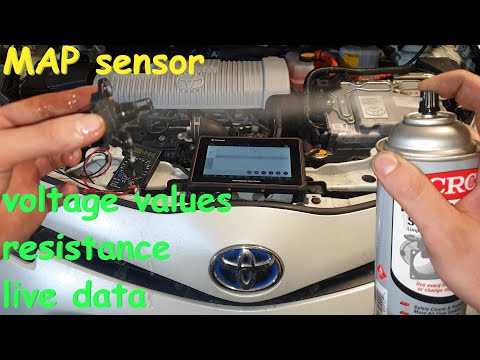
In this video, learn how to inspect the manifold absolute pressure (MAP) sensor on a Toyota Yaris Hybrid: to access it, remove the air filter housing…
Other guides you may be interested in
|
How to Open the Bonnet of a Renault Megane if the Lever is Broken?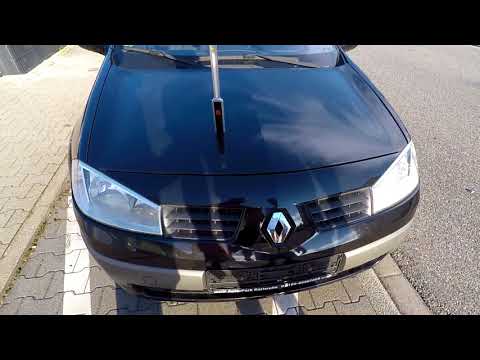
If the lever that unlocks the bonnet of the Renault Megane is broken or not functioning, there is an emergency procedure to unlock the mechanism: remove the right front grille located at the top of the bumper. Once the grille is removed, you can locate the actuator mechanism: by pulling the spring in this position, you can unlock the actuator, allowing you to lift the bonnet and access the components located inside the engine compartment. You can then close the bonnet simply by lowering it. by ScegliAuto More videos
|
|
For advertising on this site Write to info@scegliauto.com
ScegliAuto is not responsible for any inaccuracy of the data in the lists. To report any inaccuracy or your business (if you own the business in question), please write to info@scegliauto.com
Number of seconds to generate the page: 0.069
(c) ScegliAuto 2026 - info@scegliauto.com - Privacy policy VAT number: IT01247470535 |
