
|
Do it yourself
| |||
| ||||


How to Update the Radio Firmware on a 2014 Toyota 4Runner
Model: Toyota 4runner
N280
- Years 2010-2024
Updating the firmware on a 2014 Toyota 4Runner is a simple task that takes just a few minutes. You will need: a good internet connection, a 2 gigabyte USB flash drive, and some patience. The first step is to visit the "Audio Software Updates - Toyota" website, the official site released by Toyota for downloading updates, and enter the model, year, and type of radio you have, whether it has a navigation system or not. After entering your vehicle's details on the site, as shown in the video, you can download the file containing the radio update. Once the download is complete, transfer the file to the USB flash drive. The next step is to turn on your vehicle, insert the USB flash drive, and navigate to Settings - General Settings on the screen, scroll to Software Update, and when prompted "Download the new update?" press Yes. After the update is complete, remove the USB flash drive, turn off the vehicle, and turn it back on to finalize the update. To verify that the radio update was successfully installed, go to Settings - General Settings - Software Update and click on Software Update History to check the date of the last update.
Updated on 24 August 2026 by ScegliAuto
Video tutorial
Related tutorials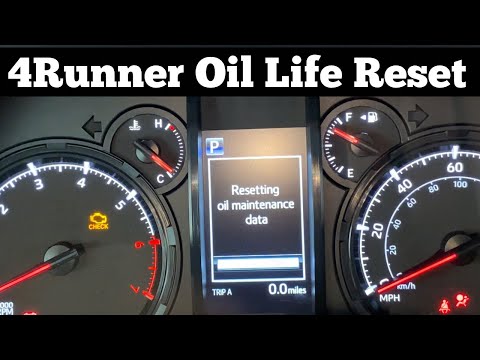
Toyota 4runner
(2010-2024 /
N280)
In this video, you can see how to reset the oil light on a Toyota 4Runner by following a few simple steps that will allow you to manage your vehicle …

Toyota 4runner
(1996-2002 /
N180)
In this video we can see how it is possible to repair the reception antenna of one's car that has broken. The video refers to a 1999 Toyota 4 Runner,…
Toyota 4runner
(2010-2024 /
N280)
In this video tutorial, you will see how to reset the oil light on a Toyota 4Runner by following a few simple steps that will help you manage your ve…
Other guides you may be interested in
|
How to Open a Stuck Boot on the Peugeot 407?
On the Peugeot 407, the boot may become stuck, possibly due to a problem with the control button or the lock actuator. In such cases, you can perform an emergency opening by following the simple procedure shown in this tutorial. First, open the rear doors, then lower the seat back by operating the release lever. Next, go inside the boot, locate the lock, and manually operate it using a flathead screwdriver. The boot will then be free to open. by ScegliAuto More videos
|

|
For advertising on this site Write to info@scegliauto.com
ScegliAuto is not responsible for any inaccuracy of the data in the lists. To report any inaccuracy or your business (if you own the business in question), please write to info@scegliauto.com
Number of seconds to generate the page: 0.072
(c) ScegliAuto 2026 - info@scegliauto.com - Privacy policy VAT number: IT01247470535 |
