
|
Do it yourself
| |||
| ||||


How to deactivate the TRC in the Toyota Corolla
Model: Toyota Corolla
MK 5, E210
- Years 2019-2026
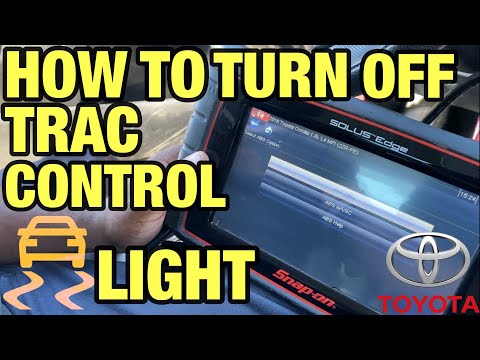
To deactivate the traction control (TRC) in the Toyota Corolla, follow these steps: ### 1. **Turn on the vehicle: ** - Start the Toyota Corolla and make sure the engine is running. ### 2. **Locate the TRC OFF button: ** - Look for the button labeled "TRC OFF" or "Traction Control OFF". Usually, this button is located on the dashboard, near the steering wheel, or near the gear shift. ### 3. **Press the TRC OFF button: ** - Press the "TRC OFF" button once. A light will appear on the dashboard indicating that traction control is deactivated. The light is usually represented by an icon of a car with curved lines underneath it. ### 4. **Reactivation of TRC: ** - To reactivate traction control, press the "TRC OFF" button again. The light on the dashboard will turn off, indicating that the system has been reactivated. ### Additional notes: - **Temporary deactivation: ** The TRC is temporarily deactivated and will automatically reactivate the next time the vehicle is started. - **Driving conditions: ** Deactivating the TRC can be useful in situations like driving on snow or mud, where you may want more control over wheel slip. However, it is important to reactivate it for safe driving on normal roads. By following these steps, you should be able to easily deactivate and reactivate traction control in your Toyota Corolla.
Posted on 14 August 2024 by ScegliAuto
Video tutorial
Related tutorials
Toyota Corolla
(2006-2013 /
MK 3)
When the TRC Off light appears on the instrument panel of the Toyota Corolla, it means that the traction control is deactivated: this often happens d…

Toyota Corolla
(2013-2019 /
MK 4, E170, E160)
Today we will discover the instructions that will allow us to deactivate the traction control (TRC) of the Toyota Corolla; however, it is recommended…
Toyota Corolla
(2013-2019 /
MK 4, E170, E160)
If the TRC OFF light appears on the instrument cluster of the Toyota Corolla, it means that the traction control is deactivated and cannot be reactiv…
Other guides you may be interested in
|
Frequently Asked QuestionsHow to reset the tyre pressure warning light on a Hyundai Tucson
Below are the instructions to reset the tyre pressure warning light (TPMS) on a Hyundai Tucson. First, get into the vehicle and turn on the instrument cluster; then navigate to the vehicle settings until you reach the tyre pressure monitor, identifying the tyre with incorrect pressure. At this point, restore all tyre pressures according to the specifications indicated on the label; this will reset the TPMS and the warning light will be cleared from the instrument cluster! by ScegliAuto More videos
|
|
For advertising on this site Write to info@scegliauto.com
ScegliAuto is not responsible for any inaccuracy of the data in the lists. To report any inaccuracy or your business (if you own the business in question), please write to info@scegliauto.com
Number of seconds to generate the page: 0.074
(c) ScegliAuto 2026 - info@scegliauto.com - Privacy policy VAT number: IT01247470535 |
