
|
Do it yourself
| |||
| ||||


How do you adjust the beam of a vehicle's headlights?
Model: (Various brands) Various
Video tutorial
To carry out the work mentioned above, in a do-it-yourself way, as an alternative to going to the workshop and entrusting this task to the appropriate professional tool, we must position the car in front of a white wall, on which we will draw two crosses, one for each headlight, which will serve as a reference point for the measurement. With the lights on, we will need to aim them right at the center of the two crosses, managing everything by raising or lowering the light beam according to the car we own, either through the adjustment screws, or electronically through the buttons in the interior.
Posted on 7 August 2025 by ScegliAuto
Related tutorials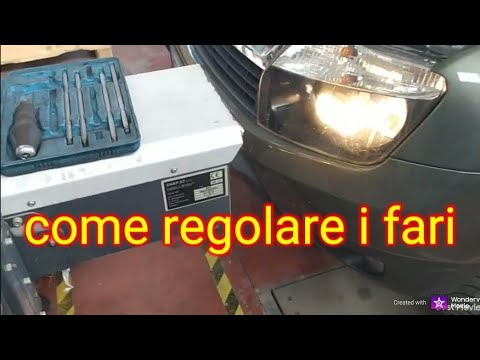
(Various brands) Various
The procedure for adjusting your car's headlights must be carried out with the vehicle parked on a level surface. You will need a headlight alignment…

(Various brands) Various
Adjusting the front headlights is a task that requires the intervention of a qualified operator and a specific tool called a headlight adjuster. Befo…

(Various brands) Various
In this video we can see how to adjust and align the headlights: we see how to adjust the height of our headlights. We need to stand in front of a wh…
Other guides you may be interested in |
How to Remove the Rear Seat of a Hyundai Tucson?
To remove the rear seat of a Hyundai Tucson, follow these steps. Start by moving the front seats to their most forward position to gain space. Next, locate the release lever on the underside of the rear seat, near the floor. Press this lever down while pulling the seat upwards to unlock it from the anchor pins. Once unlocked, tilt the seat upwards and forwards to remove it from its position. Repeat this process for both sides of the rear seat. Be careful of any electrical cables or components that may be connected to the seat during removal. Once the rear seat is removed, the disassembly is complete. by ScegliAuto More videos
|
|
For advertising on this site Write to info@scegliauto.com
ScegliAuto is not responsible for any inaccuracy of the data in the lists. To report any inaccuracy or your business (if you own the business in question), please write to info@scegliauto.com
Number of seconds to generate the page: 0.028
(c) ScegliAuto 2026 - info@scegliauto.com - Privacy policy VAT number: IT01247470535 |
