
|
Do it yourself
| |||
| ||||


How to Update the R-Link 2 System and Maps
Model: (Various brands) Various
Video tutorial
The R-Link 2 system is the software provided in the latest Renault cars, featuring onboard computer and navigation functions. Periodically, it needs to be updated with new versions. This tutorial provides all the instructions for a DIY update. First, obtain a USB stick formatted to FAT32 with at least 8 GB of space. Now, start the car engine, turn on the radio, and connect the USB stick; wait a minute and then disconnect the stick. Turn on your PC and log in to the R-Link website or register if you do not already have an account. Once logged in, a message will appear asking if you want to download the new version; confirm your choice and wait for the download to complete. Now insert the USB stick; a tool on the site will automatically recognise the stick. Select the update in the window that appears and then click on 'Download on my USB Flash Drive'. This will take some time, ensure that the computer does not go into sleep mode, and once the download is complete, remove the stick from the PC. Return to the car, start the engine and the radio, and connect the USB stick. After a few seconds, a window will automatically appear asking if you want to confirm the download of the updates to the car; confirm and keep the engine running until completion. To update the maps, perform the same operation on the PC as for the download of the updates on the R-Link site, selecting Maps from the Update section of the site. To install the new maps in the car, connect the USB stick to the car and perform the same operations on the radio as for the R-Link 2 update.
Updated on 10 May 2026 by ScegliAuto
Related tutorials
(Various brands) Various
Let’s see how to identify the version of the navigation and maps installed on the Renault Megane's R-Link. Open the navigation system, press the "nav…

(Various brands) Various
In this video, we see how to update the Junsun V1 car stereo radio completely: the first thing to do is to activate the WI-FI and hotspot of our smar…
(Various brands) Various
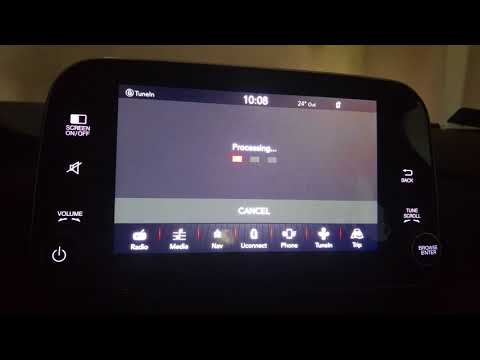
In today's video, we will see how to perform the latest update of the Uconnect system in FCA group vehicles. Turn on the ignition to activate the inf…
Other guides you may be interested in
|
Frequently Asked QuestionsHow to Remove the Rear Seat of a Hyundai Tucson?
To remove the rear seat of a Hyundai Tucson, follow these steps. Start by moving the front seats to their most forward position to gain space. Next, locate the release lever on the underside of the rear seat, near the floor. Press this lever down while pulling the seat upwards to unlock it from the anchor pins. Once unlocked, tilt the seat upwards and forwards to remove it from its position. Repeat this process for both sides of the rear seat. Be careful of any electrical cables or components that may be connected to the seat during removal. Once the rear seat is removed, the disassembly is complete. by ScegliAuto More videos
|
|
For advertising on this site Write to info@scegliauto.com
ScegliAuto is not responsible for any inaccuracy of the data in the lists. To report any inaccuracy or your business (if you own the business in question), please write to info@scegliauto.com
Number of seconds to generate the page: 0.061
(c) ScegliAuto 2026 - info@scegliauto.com - Privacy policy VAT number: IT01247470535 |
