
|
Do it yourself
| |||
| ||||


How to Record Rest Periods on a Digital Tachograph
Model: (Various brands) Various
Regulations require professional drivers to document 24 hours of activity on their tachograph card. When on the vehicle, you must keep your smartcard inserted in the tachograph, and activities will be recorded automatically. When the card is removed for a break or rest, no activities will be recorded on the smartcard. However, once the driver returns to the vehicle and reinserts the smartcard, they must declare and record the activities performed from the time of removal to reinsertion. The recording operation is automatically suggested by the device as soon as the card is reinserted into the tachograph. The driver has one minute to confirm by pressing the OK button for the activities performed.
Updated on 9 August 2026 by ScegliAuto
Video tutorial
Related tutorials
(Various brands) Various
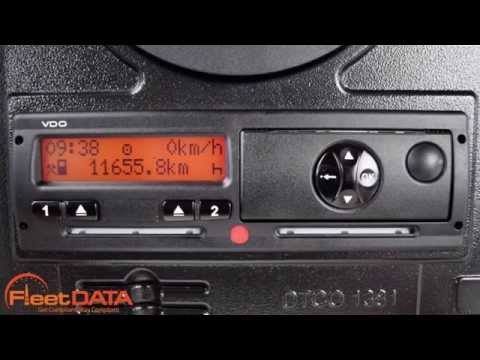
In this video, we can see how to set daily rest on the digital tachograph: with the card inserted, press button number 1 a couple of times until the …
(Various brands) Various
The process for changing the time on a Siemens VDO digital tachograph may vary slightly depending on the model and version of the tachograph. However…

(Various brands) Various
In this video, we can see how to deactivate the OUT mode on a digital tachograph. What is the OUT mode? If the vehicle is being moved in a private ar…
Other guides you may be interested in
|
Frequently Asked QuestionsHow to Open the Bonnet on the Lancia Y
To open the bonnet on this vehicle, follow these simple instructions: first, open the driver's door and locate the lever positioned just below the dashboard, marked with an image of the vehicle with the bonnet open. Pull this lever towards you until you hear a "click" indicating the bonnet is released. Next, exit the cabin and stand in front of the bonnet to disengage the safety catch and complete the opening. To do this, slightly lift the bonnet, locate the yellow lever underneath, and pull it to the left to fully release and open the bonnet. by ScegliAuto More videos
|
|
For advertising on this site Write to info@scegliauto.com
ScegliAuto is not responsible for any inaccuracy of the data in the lists. To report any inaccuracy or your business (if you own the business in question), please write to info@scegliauto.com
Number of seconds to generate the page: 0.188
(c) ScegliAuto 2026 - info@scegliauto.com - Privacy policy VAT number: IT01247470535 |
