
|
Do it yourself
| |||
| ||||


Reasons Why the Reversing Camera May Not Work
Model: (Various brands) Various
Video tutorial
Watch this video to learn about the reasons why a car's reversing camera may not work: when you engage reverse, the rear camera should start functioning, but if it shows a blank or white screen, the reason could be a blown fuse, especially if the camera has been exposed to rain, snow, or damaged by salt used for de-icing. Another reason is that the cables run into the tailgate and may get severed by the movement of the tailgate opening and closing. Excessive heat can also damage the camera, so be cautious if it is exposed directly to sunlight.
Updated on 4 October 2026 by ScegliAuto
Related tutorials
(Various brands) Various
In this video, you will see how to install a reversing camera on a vehicle equipped with an original screen. The procedure is the same for any type o…

(Various brands) Various
For the installation of the camera, you will need a digital multimeter, cable ties, insulating tape, and scissors. A good reversing camera can be fou…
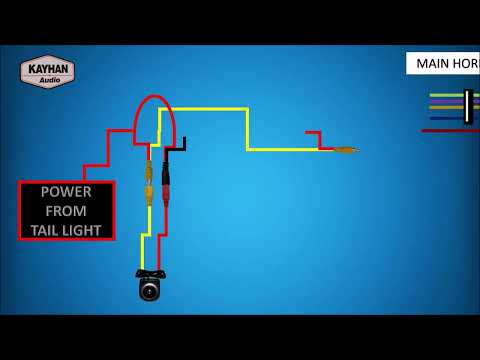
(Various brands) Various
In this video, we will look at the general layout for installing a rear camera on a vehicle. This includes the wiring diagram from the camera to the …
Other guides you may be interested in |
Frequently Asked QuestionsHow to Remove the Rear Seat of a Hyundai Tucson?
To remove the rear seat of a Hyundai Tucson, follow these steps. Start by moving the front seats to their most forward position to gain space. Next, locate the release lever on the underside of the rear seat, near the floor. Press this lever down while pulling the seat upwards to unlock it from the anchor pins. Once unlocked, tilt the seat upwards and forwards to remove it from its position. Repeat this process for both sides of the rear seat. Be careful of any electrical cables or components that may be connected to the seat during removal. Once the rear seat is removed, the disassembly is complete. by ScegliAuto More videos
|
|
For advertising on this site Write to info@scegliauto.com
ScegliAuto is not responsible for any inaccuracy of the data in the lists. To report any inaccuracy or your business (if you own the business in question), please write to info@scegliauto.com
Number of seconds to generate the page: 0.046
(c) ScegliAuto 2026 - info@scegliauto.com - Privacy policy VAT number: IT01247470535 |
