
|
Do it yourself
| |||
| ||||


How to Reset the Service Light on Volkswagen Jetta?
Model: Volkswagen Jetta
MK 6, A6
- Years 2010-2018
The Service light that illuminates on the instrument cluster of the Volkswagen Jetta can be cleared by holding down the 0.0 button located in the lower central area of the display for a few seconds. At the same time, insert the ignition key into the corresponding ignition switch and turn it to activate the instrument cluster. Once prompted whether you really want to reset the light, you can release the 0.0 button: this will confirm that the reset has been completed, and you can then turn off the ignition.
Posted on 14 April 2026 by ScegliAuto
Video tutorial
Related tutorials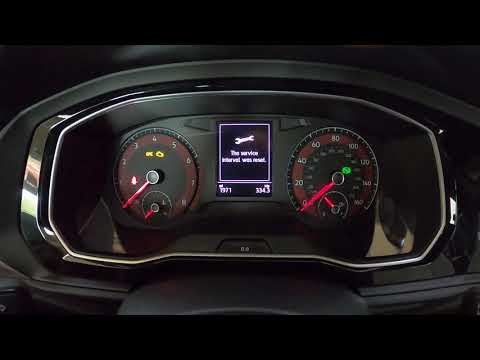
Volkswagen Jetta
(2010-2018 /
MK 6, A6)
Before starting, sit in the driver's seat of your Volkswagen Jetta. Begin by pressing and holding the "0.0" button located below the multifunction di…

Volkswagen Jetta
(2010-2018 /
MK 6, A6)
To manually reset the service light on your Volkswagen Jetta Mk6 (2010-2018), follow these simple steps. First, enter the cabin and ensure the car is…

Volkswagen Jetta
(2018-2025 /
A7, MK 7)
Today we will discover the instructions to reset the service light for the regular maintenance of the engine oil change on the Volkswagen Jetta. Firs…
Other guides you may be interested in
|
Fuses Location and Diagram for the Volkswagen Crafter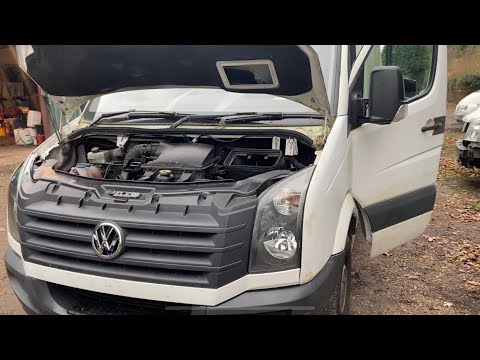
In this guide, we will look at the location of the fuse boxes and how to find their diagram for the Volkswagen Crafter. First, get inside the vehicle and start by removing the plastic cover found under the steering wheel, to access the internal fuse box; you will find another fuse box in the engine compartment by removing the plastic cover located next to the battery. At this point, use the owner's manual to find the fuse diagram, which will allow you to identify and replace any blown fuses with new ones! by ScegliAuto More videos
|
|
For advertising on this site Write to info@scegliauto.com
ScegliAuto is not responsible for any inaccuracy of the data in the lists. To report any inaccuracy or your business (if you own the business in question), please write to info@scegliauto.com
Number of seconds to generate the page: 0.123
(c) ScegliAuto 2026 - info@scegliauto.com - Privacy policy VAT number: IT01247470535 |
