
|
Do it yourself
| |||
| ||||


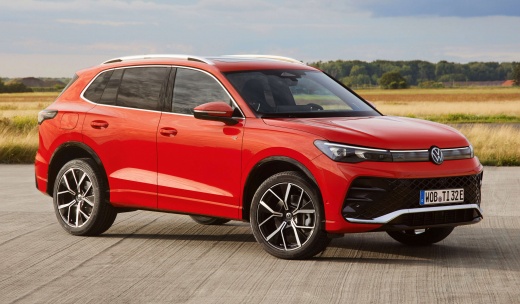
How to Reset the Service Light on the Volkswagen Tiguan?
Model: Volkswagen Tiguan
- Years:
2024, 2025, 2026
Video tutorial
After the dashboard of the Volkswagen Tiguan has been activated, you can navigate the menu displayed on the screen to clear the Service light: select the "Driving data" option while holding the OK button on the right side of the steering wheel for a few seconds. This will bring up a screen from which you can select "Reset inspection": when the confirmation message appears, you can select the "Reset" option to clear the light. You can finish by turning off the ignition after removing the key.
Posted on 14 October 2026 by ScegliAuto
Related tutorials
Volkswagen Tiguan
(2016-2025 /
MK 2, BW, AD)
The Service light that appears on the instrument cluster of the Volkswagen Tiguan can be reset with the ignition on. Next, press and hold the 0.0 but…
Volkswagen Tiguan
(2007-2016 /
5N, MK 1)
The procedure to reset the Service light on the Volkswagen Tiguan is performed with the car off and only the instrument cluster on. At this point, pr…
Volkswagen Tiguan
(2016-2025 /
MK 2, BW, AD)
On the Volkswagen Tiguan, to reset the Service light, keep the engine off with only the instrument cluster powered. Next, press and hold the 0.0 butt…
Other guides you may be interested in
|
How to reset the tyre warning light in the Jeep Avenger?
In this tutorial, you will learn how to reset the tyre warning light in the Jeep Avenger, a very simple and quick operation to perform only after restoring the correct pressure in each tyre. First, enter the cabin, then insert the key and turn on the ignition. Next, navigate to the general menu on the main display, go to "Settings", "Vehicle", "Safety", "Tyre Pressure Configuration", and perform the reset using the appropriate option. To complete the procedure, simply restart the ignition. by ScegliAuto More videos
|
|
For advertising on this site Write to info@scegliauto.com
ScegliAuto is not responsible for any inaccuracy of the data in the lists. To report any inaccuracy or your business (if you own the business in question), please write to info@scegliauto.com
Number of seconds to generate the page: 0.084
(c) ScegliAuto 2026 - info@scegliauto.com - Privacy policy VAT number: IT01247470535 |
