
|
Do it yourself
| |||
| ||||


How to Replace the Window Switch Button in a Volkswagen Beetle
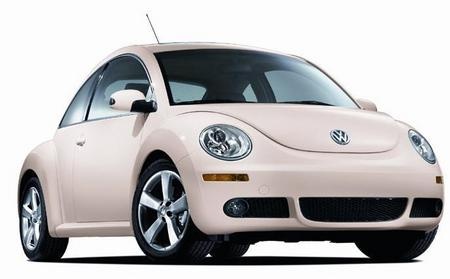
Model: Volkswagen New Beetle
MK 2, 9C
- Years 1999-2012
Before starting, open the door of your Volkswagen Beetle. Begin by removing the door panel, disengaging the relevant clips and unscrewing the fixing screws, then unclip the panel itself and disconnect the handle cable and electrical connectors. Once you have removed the door panel, you will have accessed the internal side of the window switch button. Next, unclip and remove the window switch button from its seat, using a flathead screwdriver to pry it out, and the removal will be complete. To install the new button and reassemble the door panel, simply repeat this procedure in reverse, and the replacement will be finished.
Updated on 5 May 2026 by ScegliAuto
Video tutorial
Related tutorials
Volkswagen New Beetle
(2011-2018 /
MK 3)
In this brief guide, you will see the instructions that will allow you to recalibrate the motor and window mechanism of the Volkswagen New Beetle. Fi…

Volkswagen New Beetle
(1999-2012 /
MK 2, 9C)
In this guide, we will explore the instructions that will allow us to repair the window regulator motor on the Volkswagen New Beetle. First, get into…

Volkswagen New Beetle
(1999-2012 /
MK 2, 9C)
In this tutorial we can see how to replace the window regulator mechanism in the Volkswagen New Beetle, a simple operation but requiring good manual …
Other guides you may be interested in
|
How to Replace the Cabin Filter on the Opel Grandland X
If you own an Opel Grandland X and want to know the steps to replace the cabin air filter, carefully read the following guide and follow the described steps. First, enter the vehicle and go to the passenger side. Then, locate the box containing the air filter in the lower side area of the dashboard. Remove the cover of the box and finally replace the old filter with the new one. Refit the cover, and you are done. by ScegliAuto More videos
|
|
For advertising on this site Write to info@scegliauto.com
ScegliAuto is not responsible for any inaccuracy of the data in the lists. To report any inaccuracy or your business (if you own the business in question), please write to info@scegliauto.com
Number of seconds to generate the page: 0.241
(c) ScegliAuto 2026 - info@scegliauto.com - Privacy policy VAT number: IT01247470535 |
