
|
Do it yourself
| |||
| ||||


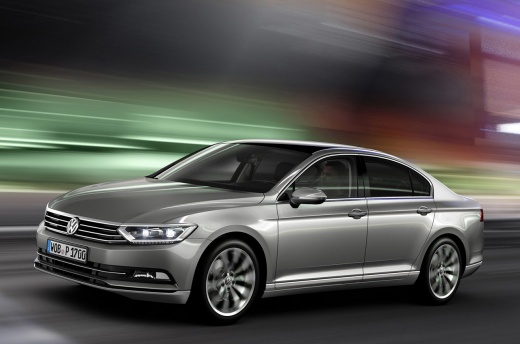
How to Reset the Maintenance Light on a Volkswagen Passat B8
Model: Volkswagen Passat
B8, 3G, MK 8
- Years 2014-2023
This guide shows how to reset the engine oil change light on a Volkswagen Passat B8. The procedure is very simple and quick, requiring no specific tools. With the instrument cluster off, press and hold the reset button for the trip odometer. When the instrument cluster is powered on, a confirmation message for the reset will be displayed; pressing the button again will complete the reset operation. The same operation is performed to reset the scheduled maintenance light. The maintenance interval can be checked by holding the reset button for the trip odometer while the instrument cluster is on.
Updated on 12 May 2026 by ScegliAuto
Video tutorial
Related tutorials
Volkswagen Passat
(2005-2010 /
B6, 3C)
To reset the "Service" light on a Volkswagen Passat, start the instrument panel without turning on the engine. Use the controls on the steering wheel…

Volkswagen Passat
(2010-2014 /
B7)
Let's see how to reset the service light on a Volkswagen Passat B7: turn on the instrument panel and on the right side of the steering wheel, locate …

Volkswagen Passat
(2010-2014 /
B7)
Briefly, here are the instructions to reset the service and maintenance light on the Volkswagen Passat. First, get inside the cabin and press and hol…
Other guides you may be interested in
|
Frequently Asked QuestionsFuses Location and Diagram for the Volkswagen Crafter
In this guide, we will look at the location of the fuse boxes and how to find their diagram for the Volkswagen Crafter. First, get inside the vehicle and start by removing the plastic cover found under the steering wheel, to access the internal fuse box; you will find another fuse box in the engine compartment by removing the plastic cover located next to the battery. At this point, use the owner's manual to find the fuse diagram, which will allow you to identify and replace any blown fuses with new ones! by ScegliAuto More videos
|
|
For advertising on this site Write to info@scegliauto.com
ScegliAuto is not responsible for any inaccuracy of the data in the lists. To report any inaccuracy or your business (if you own the business in question), please write to info@scegliauto.com
Number of seconds to generate the page: 0.302
(c) ScegliAuto 2026 - info@scegliauto.com - Privacy policy VAT number: IT01247470535 |
