
|
Do it yourself
| |||
| ||||


How to Replace the Clutch on a Volkswagen Golf Mk4?
Model: Volkswagen Golf
Golf IV, MK 4, Golf 4
- Years 1997-2003
To replace the clutch on a Volkswagen Golf Mk4, lift the car to gain easier access to the components in the lower part of the engine bay. First, remove the protective panels, then detach the front wheels. After removing them, take off the inner wheel arch panels to access the internal components. You will also need to remove the driveshaft to make the clutch housing accessible: unscrew the bolts connecting it to the gearbox, and extract it from its housing to install a new one.
Updated on 17 May 2026 by ScegliAuto
Video tutorial
Related tutorials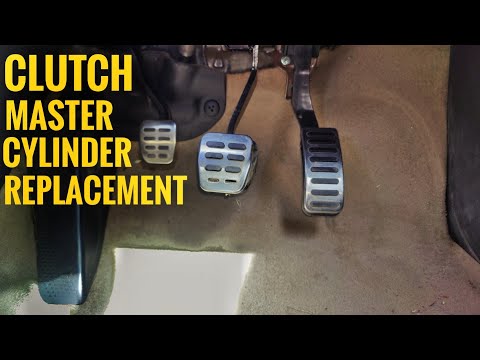
Volkswagen Golf
(2003-2008 /
MK 5, Golf 5, Golf V)
To replace the clutch cylinder on a Volkswagen Golf, open the bonnet to access the rear of the engine bay. Here, locate the screws securing the clutc…

Volkswagen Golf
(1997-2003 /
Golf IV, MK 4, Golf 4)
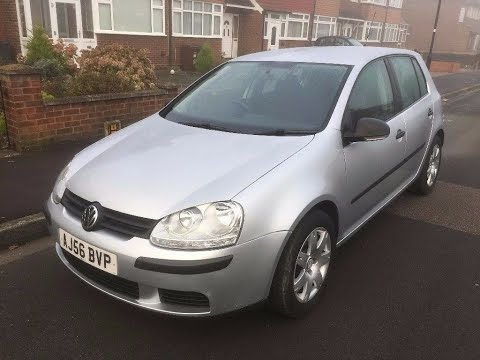
In order to replace the clutch of the Volkswagen Golf, it is necessary to remove the left front wheel by unscrewing the bolts: then it will be possib…
Volkswagen Golf
(2003-2008 /
MK 5, Golf 5, Golf V)
To replace the clutch on the Volkswagen Golf 5, lift the car using a jack or ramp to access the screws securing the front right wheel, then remove th…
Other guides you may be interested in
|
How to Remove the Front Bumper of the Citroën C4 Picasso?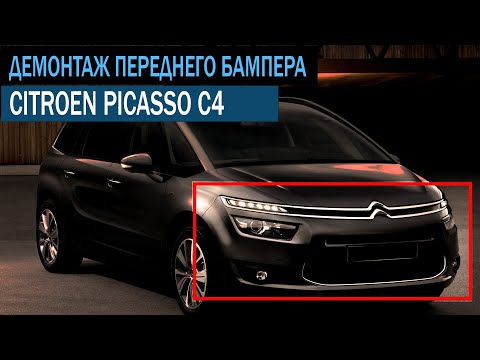
To remove the front bumper of the Citroën C4 Picasso, you need to take out all the rivets and screws that secure the piece to its housing: these screws are located inside the wheel arches of the front wheels and at the central upper part of the bumper itself. Once all these fastening elements have been removed, you can detach the bumper from its seat by disconnecting the connectors inside and then insert the new replacement part. The new part can then be secured and connected properly, ensuring it is correctly fixed in place. by ScegliAuto More videos
|
|
For advertising on this site Write to info@scegliauto.com
ScegliAuto is not responsible for any inaccuracy of the data in the lists. To report any inaccuracy or your business (if you own the business in question), please write to info@scegliauto.com
Number of seconds to generate the page: 0.083
(c) ScegliAuto 2026 - info@scegliauto.com - Privacy policy VAT number: IT01247470535 |
