
|
Do it yourself
| |||
| ||||


Resetting the Service Light on a Volkswagen Polo
Model: Volkswagen Polo
MK IV, Polo IV, Polo 4, MK 4, 9N
- Years 2001-2009
After performing the maintenance operations recommended by the manufacturer for the Volkswagen Polo, you need to reset the light shaped like a spanner that alerts you to the need for this operation. Sit in the driver's seat, press and hold the button at the bottom left between the speedometer and the central display, turn the key and switch on the instrument panel, wait ten seconds, release the button and turn it slightly to the right, then switch off the ignition. The reset has been completed, and upon the next start, you will receive confirmation of the operation's success.
Updated on 21 July 2026 by ScegliAuto
Video tutorial
Related tutorials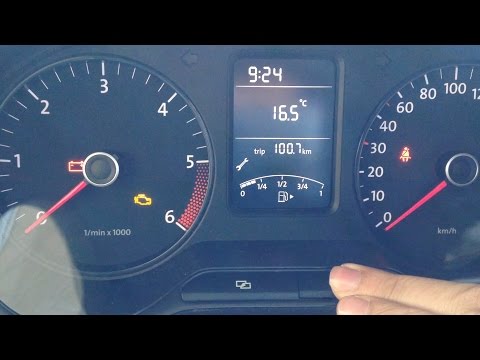
Volkswagen Polo
(2009-2017 /
Polo 5, Polo V, MK 5, MK V, 6R)
Before you can start, sit in the driver's seat of your Volkswagen Polo and close all the doors. Begin by pressing and holding the "0.0/SET" button lo…

Volkswagen Polo
(2009-2017 /
Polo 5, Polo V, MK 5, MK V, 6R)
In this guide, we will discover the steps to reset the service light and oil change on the Volkswagen Polo. First, get inside the cabin and press and…
Volkswagen Polo
(2017-2025 /
Polo VI, Polo 6, MK 6, AW1, MK VI)
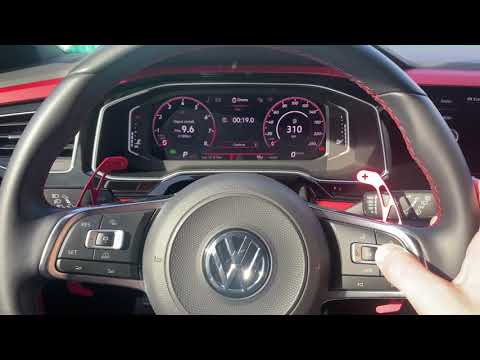
To reset the Service light on a Volkswagen Polo, you need to turn on the instrument cluster so you can navigate through the menu options on the onboa…
Other guides you may be interested in
|
Frequently Asked QuestionsHow to Set the Clock on the Opel Zafira
Setting the clock to the current Italian time on an Opel Zafira model B is a very simple operation, also made easier by our short instructional video. The first step is to turn on the instrument panel and then press the SETTING button located on the central dashboard. Once inside the menu, use the buttons to navigate to the clock setting. Adjust the hours and minutes and restart the instrument panel. If the clock does not update, it may be necessary to diagnose the radio or the vehicle's control unit. by ScegliAuto More videos
|
|
For advertising on this site Write to info@scegliauto.com
ScegliAuto is not responsible for any inaccuracy of the data in the lists. To report any inaccuracy or your business (if you own the business in question), please write to info@scegliauto.com
Number of seconds to generate the page: 0.153
(c) ScegliAuto 2026 - info@scegliauto.com - Privacy policy VAT number: IT01247470535 |
