
|
Do it yourself
| |||
| ||||


How to Replace the Diesel Filter
Model: Volkswagen Polo
MK IV, Polo 4, 9N, MK 4, Polo IV
- Years:
2001, 2002, 2003, 2004, 2005, 2006, 2007, 2008, 2009
Video tutorial
First, locate and remove all screws securing the engine cover to the block and remove it as shown in the video. Other models may have the cover simply clipped in. The video precisely indicates the position of the filter to be replaced. It is crucial not to confuse the fuel lines; if necessary, mark them before proceeding. Remove the clips by widening them with your fingers and moving them until the pipes are free. Unscrew the bolt or screw, depending on the engine, that holds the filter in place and pull it upwards without removing the pipes yet. Take the new filter and ensure the drain at the bottom is properly tightened before installation. Now you can disconnect the fuel lines from the old filter and, being careful not to reverse them, connect them to the new filter in the correct orientation: from the left, you will find the inlet from the tank, the outlet to the engine, and the return. Fill the new component with diesel; otherwise, you will not be able to start the car. Replace the seal (o-ring) present and carefully reposition all clips, screw the filter back into its place, and take a test drive to check that everything works without leaks. The video examines Volkswagen and Audi TDI engines built before 2006.
Updated on 2 February 2026 by ScegliAuto
Related tutorials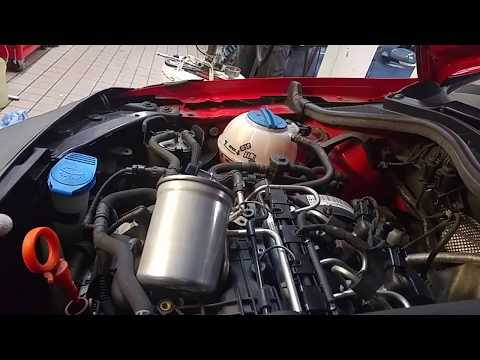
Volkswagen Polo
(2009-2017 /
6R, MK V, Polo 5, Polo V, MK 5)
Replace the damaged diesel filter on a VW Polo. First, lift the front bonnet of the engine and locate the diesel filter. Use a pair of pliers to disc…
Volkswagen Polo
(2009-2017 /
6R, MK V, Polo 5, Polo V, MK 5)
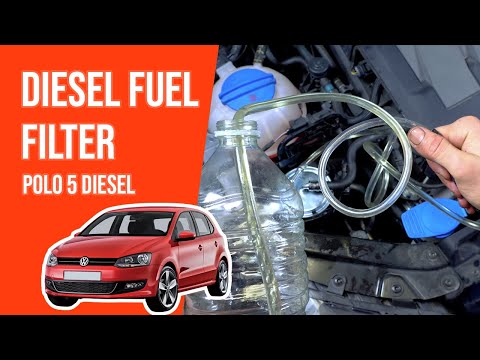
In today's tutorial, you will learn how to remove and replace the fuel filter on a Volkswagen Polo 1.6 TDI in simple steps. First, open the engine bo…

Volkswagen Polo
(2009-2017 /
6R, MK V, Polo 5, Polo V, MK 5)
.. How to replace the diesel filter on a Volkswagen Polo? Follow this video for the replacement: open the.. …
Other guides you may be interested in
|
How to Reset the Tire Pressure Light on a MG ZS?
On the instrument cluster of the MG ZS, the tire pressure light that appears can be reset by inflating the tires to the correct pressure: this value will be indicated on the sticker attached to the driver's door pillar. Once the tires have been properly inflated, you can turn on the instrument cluster and navigate through the menu until you find the option that indicates tire pressure: if this screen shows the new values, the light will turn off; otherwise, you will need to drive for a few miles so that the sensors can read the new values and turn off the light afterward. by ScegliAuto More videos
|
|
For advertising on this site Write to info@scegliauto.com
ScegliAuto is not responsible for any inaccuracy of the data in the lists. To report any inaccuracy or your business (if you own the business in question), please write to info@scegliauto.com
Number of seconds to generate the page: 0.025
(c) ScegliAuto 2026 - info@scegliauto.com - Privacy policy VAT number: IT01247470535 |
