
|
Do it yourself
| |||
| ||||


Polishing to Remove Scratches
Model: Volkswagen Golf
Golf IV, Golf 4, MK 4
- Years:
1997, 1998, 1999, 2000, 2001, 2002, 2003
Video tutorial
If there are superficial scratches on the bodywork, you can remove them by polishing with a suitable abrasive paste and a lambswool pad; clean the surface to be polished to avoid dirt residues damaging the paint during polishing. Apply the abrasive paste and proceed with machine polishing without exceeding the speed of the pad: if the pad spins too quickly, it may overheat the paint to the point of damage or even peeling (especially on plastic surfaces); if necessary, repeat the polishing until achieving a perfectly shiny surface without marks.
Updated on 19 February 2026 by ScegliAuto
Related tutorials
Volkswagen Golf
(2019-2026 /
MK 8, Golf 8, Golf Viii)
This video will explain the steps to replace the undertray on a Volkswagen Golf MK8. The first step is to lift the vehicle for better visibility and …

Volkswagen Golf
(1997-2003 /
Golf IV, Golf 4, MK 4)
It is quite common for front headlights to become cloudy due to sunlight exposure and often also from car wash detergents. You can restore their shin…
Volkswagen Golf
(2012-2019 /
MK 7, Golf 7, Golf VII)
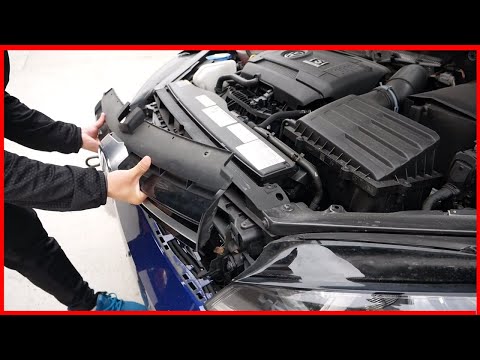
This guide outlines the steps to remove and replace the front bumper grille of the Volkswagen Golf, following the instructions below. First, open the…
Other guides you may be interested in |
How to reset the tyre pressure warning light on the Kia Niro EV?
To reset the tyre pressure warning light on the Kia Niro EV, inflate the tyres until they reach the correct pressure value. This value is indicated on the sticker attached to the driver's door pillar. Once the tyres are inflated, turn on the instrument cluster to check that the warning light has completely disappeared from the display. If it is still present, you may need to drive for a few miles to ensure it disappears completely from the screen. by ScegliAuto More videos
|
|
For advertising on this site Write to info@scegliauto.com
ScegliAuto is not responsible for any inaccuracy of the data in the lists. To report any inaccuracy or your business (if you own the business in question), please write to info@scegliauto.com
Number of seconds to generate the page: 0.026
(c) ScegliAuto 2026 - info@scegliauto.com - Privacy policy VAT number: IT01247470535 |
