
|
Do it yourself
| |||
| ||||


How to Remove the Ventilation Grille from the Bonnet on Volkswagen Golf V
Model: Volkswagen Golf
MK 5, Golf 5, Golf V
- Years 2003-2008
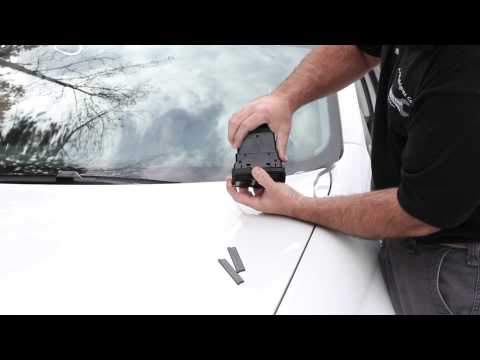
This video demonstrates how to remove the ventilation grille located inside the bonnet on the Volkswagen Golf V or Jetta. First, remove the bonnet seal, then lift the vent grille, which is a thin strip of plastic at the base of the windscreen, attached to the lower edge of the windscreen itself. Simply pull it towards you to remove it. Take the opportunity to clean it and remove all dust, dirt, and especially leaves that have accumulated on the grille and the lower edge of the windscreen.
Updated on 11 September 2026 by ScegliAuto
Video tutorial
Related tutorials
Volkswagen Golf
(2012-2019 /
Golf VII, MK 7, Golf 7)
In this tutorial video, you will see how to replace the analogue speedometer with a digital one in the Volkswagen Golf 7. The first thing you need to…
Volkswagen Golf
(2008-2012 /
MK 6, Golf VI, Golf 6, 5K1)
You can install a diagnostic interface at the OBD port to view real-time engine parameters such as temperature and boost pressure, which are displaye…

Volkswagen Golf
(2003-2008 /
MK 5, Golf 5, Golf V)
Today's step-by-step instructions will show us how to disassemble and replace the front bumper grille of the Volkswagen Golf. First, we open the hood…
Other guides you may be interested in
|
How to reset the tyre pressure warning light on the Dacia Sandero?
To reset the tyre pressure warning light on the Dacia Sandero, inflate all the tyres to the pressure indicated on the label on the driver's door. Once the tyres are inflated, turn on the ignition and navigate through the menu using the controls on the right side of the steering wheel. Scroll with the arrows to find the tyre pressure option: by holding down the OK button located on the right side of the steering wheel, you can reset the warning light. by ScegliAuto More videos
|
|
For advertising on this site Write to info@scegliauto.com
ScegliAuto is not responsible for any inaccuracy of the data in the lists. To report any inaccuracy or your business (if you own the business in question), please write to info@scegliauto.com
Number of seconds to generate the page: 0.068
(c) ScegliAuto 2026 - info@scegliauto.com - Privacy policy VAT number: IT01247470535 |
