
|
Do it yourself
| |||
| ||||


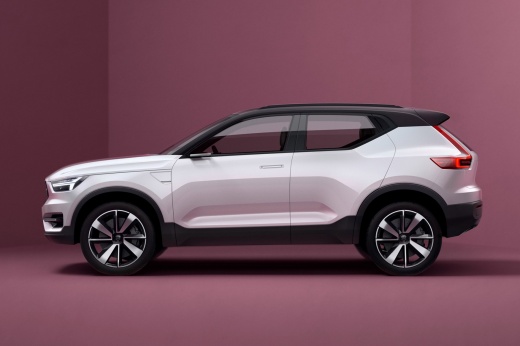
How to Install the DashCam on the Volvo XC40
Model: Volvo Xc40
MK 1
- Years:
2017, 2018, 2019, 2020, 2021, 2022, 2023, 2024, 2025, 2026
This video is currently unavailable
Installing the Dash Cam on the Volvo XC40 is very easy because the setup is already prepared; you don't need to run any wires or connect any connectors. It is a plug-and-play connection. Simply connect the cable from the rearview mirror to provide power, then use the included (split) cable to supply power back to the mirror. Installation time: about 5 minutes. The one recommended by the YouTuber can be found on the fitcamx.com website and costs $168.00. Aesthetically, it is perfect; it looks like an original part from the manufacturer, and the video quality is excellent, even at night.
Updated on 11 July 2026 by ScegliAuto
Related tutorials
Volvo Xc40
(2017-2026 /
MK 1)
If you own a 2023 Volvo XC40 and don't know where the fuse box is located, just read this guide carefully and follow the described procedure. First, …

Volvo Xc40
(2017-2026 /
MK 1)
In this guide, you will find instructions to reset the multimedia system of the Volvo XC40 in simple and quick steps. First, get inside the vehicle a…

Volvo Xc40
(2017-2026 /
MK 1)
In this new mini guide dedicated to your Volvo XC40, discover step by step how to easily locate the box that contains all the various fuses. First, e…
Other guides you may be interested in
|
How to Remove the Rear Seat of a Hyundai Tucson?
To remove the rear seat of a Hyundai Tucson, follow these steps. Start by moving the front seats to their most forward position to gain space. Next, locate the release lever on the underside of the rear seat, near the floor. Press this lever down while pulling the seat upwards to unlock it from the anchor pins. Once unlocked, tilt the seat upwards and forwards to remove it from its position. Repeat this process for both sides of the rear seat. Be careful of any electrical cables or components that may be connected to the seat during removal. Once the rear seat is removed, the disassembly is complete. by ScegliAuto More videos
|
|
For advertising on this site Write to info@scegliauto.com
ScegliAuto is not responsible for any inaccuracy of the data in the lists. To report any inaccuracy or your business (if you own the business in question), please write to info@scegliauto.com
Number of seconds to generate the page: 0.013
(c) ScegliAuto 2026 - info@scegliauto.com - Privacy policy VAT number: IT01247470535 |
