
|
Do it yourself
| |||
| ||||


How to reset the multimedia system MMI in the Audi A1?
Model: Audi A1
MK 2, GB
- Years 2018-2025
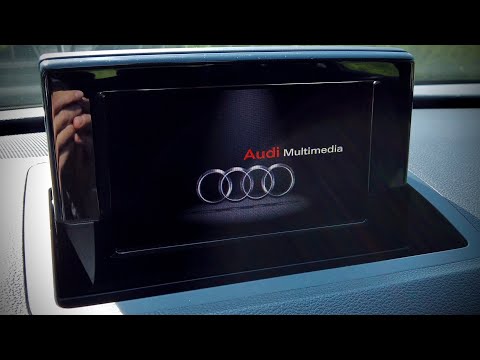
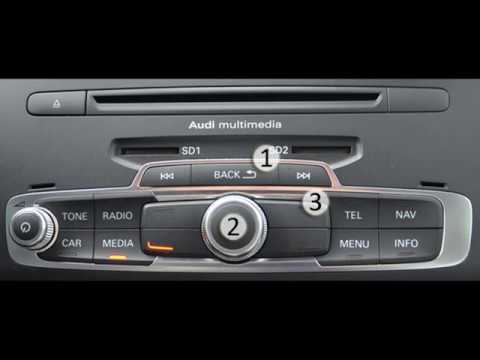
In our Audi A1, it is possible for the multimedia system MMI display to freeze or show various signs of malfunction. In these cases, we can try to solve the problem by performing a reset. Let's see how to proceed in this tutorial. First of all, we insert the key and turn on both the instrument panel and the system itself. Then, we press and hold the "Back" button, the large central knob, and the upper right arrow. We then keep these three buttons pressed for about 5 seconds, or however long it takes for the display to turn off, and we wait for the system to completely restart.
Posted on 9 February 2024 by ScegliAuto
Video tutorial
Related tutorials
Audi A1
(2018-2025 /
MK 2, GB)
To activate Apple CarPlay on the MMI multimedia system of an Audi A1, start by accessing the "Connected devices" or "Bluetooth" section in the MMI sy…
Audi A1
(2010-2018 /
8X, MK 1)
In this video we can see how to force the reset of the MMI multimedia system of the Audi A1, a very simple operation, to be carried out in the event …
Audi A1
(2010-2018 /
8X, MK 1)
In the Audi A1, it may happen that the MMI multimedia system shows signs of malfunction, such as continuous freezes. In these cases, we can try to so…
Other guides you may be interested in
|
How to Change the Side Mirror on a Ford Mondeo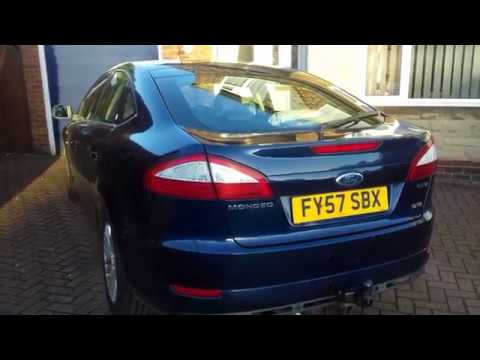
To perform this operation, it is advisable to disconnect the battery cables to protect any delicate circuits, such as the one controlling the mirror adjustment motor. Now, proceed to remove the triangular panel covering the bolts securing the mirror. To do this, unscrew the bolt located in the designated hole, then disconnect the connector supplying the motor. After that, unscrew the bolts to detach the mirror and remove it from the exterior. Reverse the steps described for reassembly. by ScegliAuto More videos
|
|
For advertising on this site Write to info@scegliauto.com
ScegliAuto is not responsible for any inaccuracy of the data in the lists. To report any inaccuracy or your business (if you own the business in question), please write to info@scegliauto.com
Number of seconds to generate the page: 0.120
(c) ScegliAuto 2026 - info@scegliauto.com - Privacy policy VAT number: IT01247470535 |
