
|
Do it yourself
| |||
| ||||


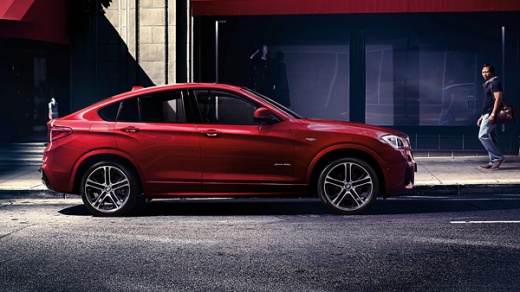
How to reset the service of the BMW X4 F26
Model: BMW X4
MK 1, F26
- Years:
2014, 2015, 2016, 2017, 2018
Video tutorial
In this video we will see how to reset the service light on a BMW X4 F26: we will need to turn on the ignition, without starting the engine. Once inside the car, we will have made sure that all doors, the rear trunk, and the front hood are closed properly. We will press and hold the button located on the left side of the dashboard, used for selecting the onboard computer. After about ten seconds, the first service item will be displayed. Press the button repeatedly to scroll through the list and select the necessary reset mode. Press and hold the button for about three seconds, until the "reset" message appears on the display. Press and hold the button again for about three seconds. At this point, the service is reset.
Posted on 16 July 2025 by ScegliAuto
Related tutorials
BMW X4
(2014-2018 /
MK 1, F26)
The fuse diagram, in general and not just referring to the BMW X4 F26, is the document that graphically shows which fuses are contained in the fuse b…

BMW X4
(2014-2018 /
MK 1, F26)
Today's instructions will allow us to disassemble and replace the glove box of the BMW X4, in simple and quick steps. First, we get into the car and …

BMW X4
(2014-2018 /
MK 1, F26)
The BMW SOS device, specifically referring to the BMW X4, activates when an emergency situation is detected, such as a vehicle collision. Automatical…
Other guides you may be interested in
|
How to Reset the Tyre Pressure Warning Light on a Kia Rio?
The tyre pressure warning light displayed on the instrument cluster of the Kia Rio can be reset by inflating the tyres until they reach the recommended pressure value: this value is indicated on the sticker affixed to the driver's door pillar. Once all tyres have been inflated to the recommended pressure, turn on the ignition to check that the light has disappeared: if it is still present, it may be necessary to drive for a few miles, allowing the sensors to work and thus turning off the light. by ScegliAuto More videos
|
|
For advertising on this site Write to info@scegliauto.com
ScegliAuto is not responsible for any inaccuracy of the data in the lists. To report any inaccuracy or your business (if you own the business in question), please write to info@scegliauto.com
Number of seconds to generate the page: 0.035
(c) ScegliAuto 2026 - info@scegliauto.com - Privacy policy VAT number: IT01247470535 |
