
|
Do it yourself
| |||
| ||||


How to replace the battery of the key on a BMW 1 Series.
Model: BMW Serie 1
F20, MK 2, F21
- Years 2011-2019
We can see thanks to this very short and simple video tutorial all the necessary steps to replace the battery of the remote control of a second-generation BMW 1 Series, model produced from 2011 to 2019. This operation is also valid for various models of BMW 1 Series from other generations with a similar remote control. First, we remove the physical key from the remote control, then we remove the back cover by levering it from one of the appropriate tabs. Once the cover is removed, we immediately have the old battery in front of us to replace, so we replace it and finally close everything. The necessary battery is the DL2450 3V.
Posted on 3 September 2023 by ScegliAuto
Video tutorial
Related tutorials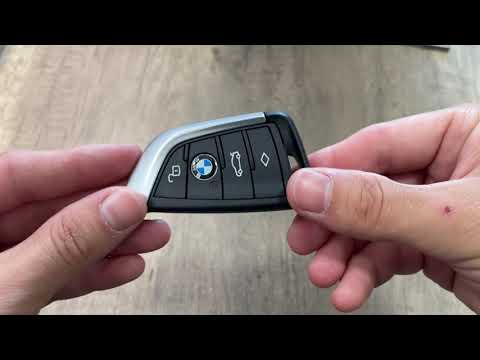
BMW Serie 1
(2019-2026 /
MK 3, F40)
Today we will explain how to replace the battery of a 2021 BMW 1 Series key. To replace the battery, we need to press the button on the side of the r…
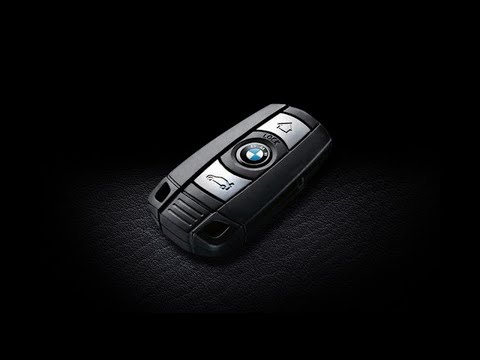
BMW Serie 1
(2004-2013 /
E82, E81, E87, MK 1)
How to replace the battery of the key fob for your BMW 1 Series? Take your key fob and extract the metal key (located inside); once the metal key is …
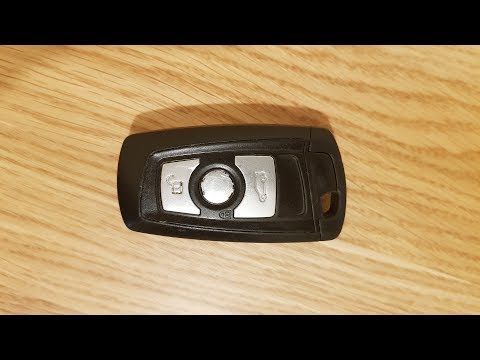
BMW Serie 1
(2004-2013 /
E82, E81, E87, MK 1)
How to change the battery of the BMW 1 key? Let's disassemble the key plastics to replace the battery, let's see how to do it. We take our remote con…
Other guides you may be interested in
|
How to Reset the Maintenance Reminder on a Peugeot 207
To reset the maintenance reminder indicator, you will need to start your vehicle's ignition to use the buttons located next to the central display of the onboard computer. By holding both buttons for a few seconds, you will notice that all the warning lights on the dashboard will illuminate. Continue holding the buttons, and you will see a countdown start. When it reaches zero, you can turn off the ignition and restart the car to completely resolve the issue, and that's it! by ScegliAuto More videos
|
|
For advertising on this site Write to info@scegliauto.com
ScegliAuto is not responsible for any inaccuracy of the data in the lists. To report any inaccuracy or your business (if you own the business in question), please write to info@scegliauto.com
Number of seconds to generate the page: 0.135
(c) ScegliAuto 2026 - info@scegliauto.com - Privacy policy VAT number: IT01247470535 |
