
|
Do it yourself
| |||
| ||||


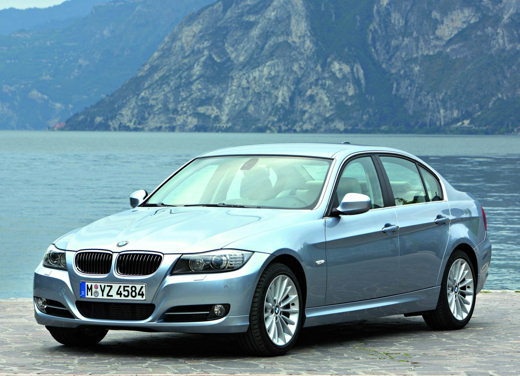
Removing Cup Holder Supports
Model: BMW Serie 3
E92, E90, E91
- Years:
2005, 2006, 2007, 2008, 2009, 2010, 2011, 2012, 2013
Video tutorial
Today, I will explain how to remove the cup holders located on your dashboard in simple steps. Gather a set of interior plastic trim removal tools and a Phillips screwdriver. First, use the trim removal tool to pry on the trim of your dashboard, being careful not to break the clips. Once done, pull the trim towards you. Now, take a Phillips screwdriver and start removing the screws from your cup holders. Once the screws are removed, take a small lever and begin to pull out the cup holder by prying and making small left and right movements to extract it completely. Repeat the same procedure with the other cup holder, and your work will be finished.
Updated on 25 February 2026 by ScegliAuto
Related tutorials
BMW Serie 3
(1998-2006 /
E46)
The failure of the rubber engine mounts is quite evident as the engine tends to move excessively at idle and makes noise, especially during starting …
BMW Serie 3
(1990-2001 /
E36)
The radiator mounts are actually rubber washers that dampen vibrations and support the radiator itself. To remove and replace these mounts, you need …

BMW Serie 3
(1990-2001 /
E36)
Lift the vehicle on a lift and remove the splash shield by extracting the front pressure retaining clips with wire cutters and unscrewing the other s…
Other guides you may be interested in |
How to reset the tyre pressure warning light on the Kia Niro EV?
To reset the tyre pressure warning light on the Kia Niro EV, inflate the tyres until they reach the correct pressure value. This value is indicated on the sticker attached to the driver's door pillar. Once the tyres are inflated, turn on the instrument cluster to check that the warning light has completely disappeared from the display. If it is still present, you may need to drive for a few miles to ensure it disappears completely from the screen. by ScegliAuto More videos
|
|
For advertising on this site Write to info@scegliauto.com
ScegliAuto is not responsible for any inaccuracy of the data in the lists. To report any inaccuracy or your business (if you own the business in question), please write to info@scegliauto.com
Number of seconds to generate the page: 0.020
(c) ScegliAuto 2026 - info@scegliauto.com - Privacy policy VAT number: IT01247470535 |
