
|
Do it yourself
| |||
| ||||


How to Program a C4 Key
Model: Citroen C4
MK 1
- Years 2004-2010
To perform this operation, a specific tool is necessary that allows you to code your key without issues. Once you have equipped yourself with the required tool, connect it to the OBD port to interact with your vehicle's onboard computer. Now, simply turn on the tool and connect it to the vehicle following the steps described in the video. As you will notice, it will be necessary to let the panel run for a while before the operations can be completed, so when prompted, insert the key to program it, and you're done!
Updated on 28 February 2026 by ScegliAuto
Video tutorial
Related tutorials
Citroen C4
(2014-2020 /
Cactus)
To program the key of the Citroën C4 Cactus, you will need to insert the blank key into the corresponding slot: then you will need to turn the key to…

Citroen C4
(2020-2026 /
MK 3)
Today's instructions will show us the necessary process that will allow us to program the remote control of the Citroen C4 key, as well as other mode…

Citroen C4
(2010-2018 /
MK 2)
Has the key of your Citroen C4 stopped working due to a malfunctioning remote control? Today we will explain how to replace the key's microchip and p…
Other guides you may be interested in
|
How to Check the Oil Level on a Jeep Renegade?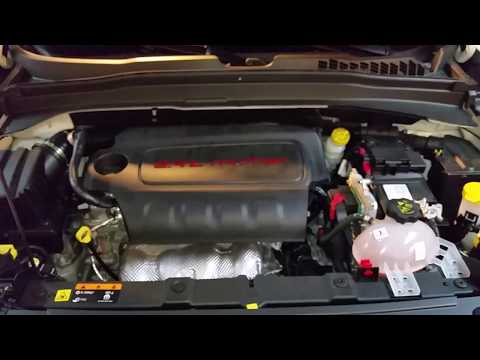
To check the oil level on a Jeep Renegade, you need to open the bonnet to access the components inside the engine bay: on the lower left side of the engine block, you will find the dipstick for checking the level. This should be pulled out and thoroughly cleaned with a cloth: once cleaned, reinsert it back into its tube and pull it out immediately after. This way, you can check that the oil mark is between the minimum and maximum levels; finally, you can place the dipstick back in its tube. by ScegliAuto More videos
|

|
For advertising on this site Write to info@scegliauto.com
ScegliAuto is not responsible for any inaccuracy of the data in the lists. To report any inaccuracy or your business (if you own the business in question), please write to info@scegliauto.com
Number of seconds to generate the page: 0.118
(c) ScegliAuto 2026 - info@scegliauto.com - Privacy policy VAT number: IT01247470535 |
