
|
Do it yourself
| |||
| ||||


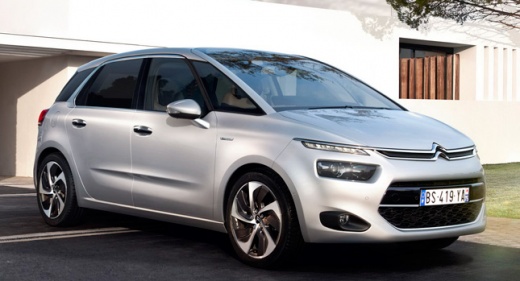
How do you replace the battery of the Citroen C4 Picasso 2?
Model: Citroen C4 Picasso
MK 2
- Years:
2013, 2014, 2015, 2016, 2017, 2018, 2019, 2020, 2021, 2022
Video tutorial
A car that struggles to start its engine, in most cases, is due to its power supply battery being completely or largely discharged. This means that not only do we risk being stranded, but we may also see some functions limited, such as Start and stop, use of the car radio, etc. Let's proceed with the replacement, following the indications of this video tutorial: First, we disconnect the negative terminal first, then the positive one, we remove the locking plate of the battery, located at the base, and extract it from its housing. We check the aforementioned replacement battery, amperes, volts, etc., and proceed with the installation.
Posted on 8 December 2024 by ScegliAuto
Related tutorials
Citroen C4 Picasso
(2006-2013 /
MK 1)
Let's start by specifying why the power supply battery of a car needs to be replaced. The most common cases are the inability to start the engine, or…

Citroen C4 Picasso
(2013-2022 /
MK 2)
The cabin fan installed on board the Citroën C4 Picasso can be replaced by removing the carpet under the glove compartment on the passenger side, als…

Citroen C4 Picasso
(2013-2022 /
MK 2)
It will be possible to replace the external rearview mirror of the Citroën C4 Picasso by loosening the screws that fix the inner door panel: once the…
Other guides you may be interested in
|
How to reset the tyre pressure warning light on the Kia Niro EV?
To reset the tyre pressure warning light on the Kia Niro EV, inflate the tyres until they reach the correct pressure value. This value is indicated on the sticker attached to the driver's door pillar. Once the tyres are inflated, turn on the instrument cluster to check that the warning light has completely disappeared from the display. If it is still present, you may need to drive for a few miles to ensure it disappears completely from the screen. by ScegliAuto More videos
|
|
For advertising on this site Write to info@scegliauto.com
ScegliAuto is not responsible for any inaccuracy of the data in the lists. To report any inaccuracy or your business (if you own the business in question), please write to info@scegliauto.com
Number of seconds to generate the page: 0.113
(c) ScegliAuto 2026 - info@scegliauto.com - Privacy policy VAT number: IT01247470535 |
