
|
Do it yourself
| |||
| ||||


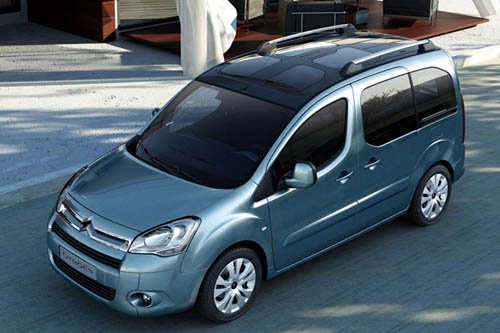
How to change the backlight bulbs of the Citroen Berlingo dashboard
Model: Citroen Berlingo
MK 2
- Years:
2008, 2009, 2010, 2011, 2012, 2013, 2014, 2015, 2016, 2017, 2018
Video tutorial
In this video we will see how to change the dashboard backlight bulbs on a Citroen Berlingo: we will need to remove the vents on the sides of the central console; we just need to press and then pull; then we remove the compartment where the AUX socket is located, simply levering on the sides and disconnecting the electrical connector; we then remove the stereo, with two specific keys (which can be found for a few euros on any e-commerce platform) or with two small screwdrivers. Here too we disconnect the electrical connectors and the antenna, and with the help of a mirror, we locate the bulb to be replaced, which we will remove with a 10 mm socket, and with the same system we will put the new one back in place (being careful not to drop it): Then we can put back the radio, the AUX socket and the vents.
Posted on 20 August 2025 by ScegliAuto
Related tutorials
Citroen Berlingo
(2008-2018 /
MK 2)
Replace the blown bulbs in the front lights of your Citroen Berlingo. Start by opening the front bonnet and removing the plastic cover (if fitted beh…

Citroen Berlingo
(2008-2018 /
MK 2)
It will be possible to reset the Service indicator on the instrument panel of the Citroën Berlingo by turning on the instrument panel and holding dow…

Citroen Berlingo
(2018-2026 /
MK 3)
We can see in this video how to change the display lamp of the Citroen Berlingo: with a plastic spatula, we lever on the outer sides of the dashboard…
Other guides you may be interested in
|
How to reset the tyre pressure warning light on the Kia Niro EV?
To reset the tyre pressure warning light on the Kia Niro EV, inflate the tyres until they reach the correct pressure value. This value is indicated on the sticker attached to the driver's door pillar. Once the tyres are inflated, turn on the instrument cluster to check that the warning light has completely disappeared from the display. If it is still present, you may need to drive for a few miles to ensure it disappears completely from the screen. by ScegliAuto More videos
|
|
For advertising on this site Write to info@scegliauto.com
ScegliAuto is not responsible for any inaccuracy of the data in the lists. To report any inaccuracy or your business (if you own the business in question), please write to info@scegliauto.com
Number of seconds to generate the page: 0.115
(c) ScegliAuto 2026 - info@scegliauto.com - Privacy policy VAT number: IT01247470535 |
