
|
Do it yourself
| |||
| ||||


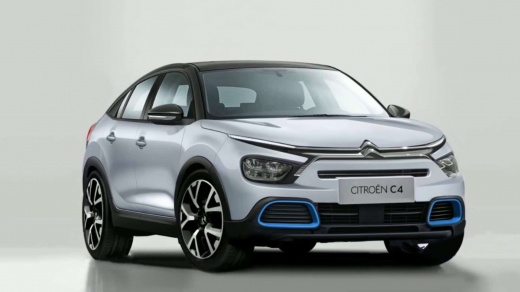
Citroen e-C4 Infotainment Guide
Model: Citroen C4
MK 3
- Years:
2020, 2021, 2022, 2023, 2024, 2025, 2026
Video tutorial
This is a guide to the Infotainment system of the Citroen C4 and e-C4: at the centre, we have the 10" screen displaying radio, navigation, climate, phone, apps, and vehicle settings. The climate controls are physical knobs located below the screen, so there is no need to enter the menu. Connect your phone via Bluetooth or cable, compatible with both Android Auto and Apple CarPlay. From the quick settings, adjust the lights (welcome, cornering), mirrors (folding or not), parking sensors, automatic braking, and blind spot warning. Behind the steering wheel on the left, there is a button on the stalk; pressing it changes the display. On the left side of the steering wheel, you have cruise control and automatic braking, while on the right, you control the volume, change songs, phone, and voice assistant.
Posted on 8 April 2026 by ScegliAuto
Related tutorials
Citroen C4
(2020-2026 /
MK 3)
In this video, we show you how to activate the infotainment system on the Citroen C4. The onboard computer is fully touch-operated, except for two bu…

Citroen C4
(2020-2026 /
MK 3)
If you own a 2022 Citroen C4 and are wondering what steps to take to correctly complete the manual reset of the TPMS light, simply read the following…

Citroen C4
(2010-2018 /
MK 2)
In this mini guide dedicated to your Citroen C4 Mk2, we will discover the steps to manually change the time displayed on the infotainment system. Fir…
Other guides you may be interested in
|
Frequently Asked QuestionsHow to Remove the Toll Tag Holder from the Car Windscreen
The toll tag holder is usually attached to the car windscreen to ensure that the toll tag functions immediately when passing through barriers. However, if you decide to remove the holder, you should follow this procedure: - Insert the toll tag into the holder; - Pull the holder inwards to detach it from the windscreen; you can use a glass scraper or a stiff plastic card to assist you; After removing the holder, it is essential to remove the adhesive from the windscreen. To remove the adhesive, we recommend using a solvent-based spray that will remove the glue without clouding the area. by ScegliAuto More videos
|
|
For advertising on this site Write to info@scegliauto.com
ScegliAuto is not responsible for any inaccuracy of the data in the lists. To report any inaccuracy or your business (if you own the business in question), please write to info@scegliauto.com
Number of seconds to generate the page: 0.022
(c) ScegliAuto 2026 - info@scegliauto.com - Privacy policy VAT number: IT01247470535 |
