
|
Do it yourself
| |||
| ||||


How to Change the Bulb on a Fiat Panda Mk1
Model: Fiat Panda
141, MK 1
- Years 1980-2003
To replace the front bulb on a Fiat Panda Mk1, first open the bonnet, disconnect the cable that connects the bulb to the battery, and then remove the rubber cover protecting the bulb. Give it a quarter turn counterclockwise and remove the bulb - remember never to touch it with bare hands, wear gloves, unlike what the YouTuber does - Replace the bulb in the holder and put it back in place, ensuring the connections align. Refit the rubber cover and reconnect the plug to the bulb. Check its operation by turning on the headlights from the vehicle's dashboard.
Updated on 19 July 2026 by ScegliAuto
Video tutorial
Related tutorials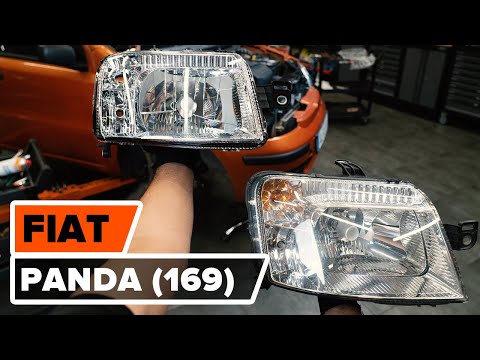
Fiat Panda
(2003-2012 /
169, MK 2)
Discover how to remove the front headlamp and replace the bulb on the Fiat Panda 169, second series. First, remove the front wheel arch liner by unsc…

Fiat Panda
(1980-2003 /
141, MK 1)
In this video, you will see the steps that will allow you to dismantle and replace the rear wiper motor of the first series Fiat Panda 4x4, version 1…
Fiat Panda
(2003-2012 /
169, MK 2)
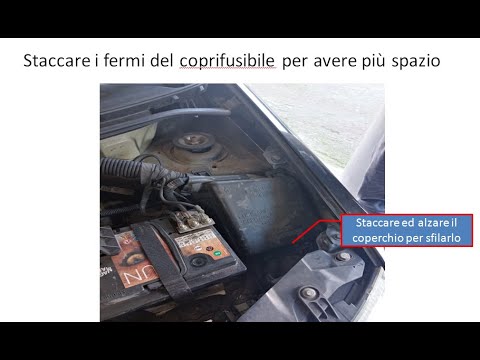
In today's video, you will learn how to replace the front bulbs of the Fiat Panda. First, open the front bonnet. If necessary, remove the fuse box. T…
Other guides you may be interested in
|
Frequently Asked QuestionsHow to reset the tyre pressure warning light on the Suzuki Jimny?
To reset the tyre pressure warning light on the Suzuki Jimny, first inflate the tyres to the pressure value indicated on the corresponding sticker: this is located at the bottom of the driver's door pillar. Once the tyres are inflated, insert the ignition key and turn on the instrument panel: select the screen that indicates the tyre pressures, checking that the values change. After a few seconds, the tyre pressure warning light will automatically turn off. by ScegliAuto More videos
|
|
For advertising on this site Write to info@scegliauto.com
ScegliAuto is not responsible for any inaccuracy of the data in the lists. To report any inaccuracy or your business (if you own the business in question), please write to info@scegliauto.com
Number of seconds to generate the page: 0.729
(c) ScegliAuto 2026 - info@scegliauto.com - Privacy policy VAT number: IT01247470535 |
