
|
Do it yourself
| |||
| ||||


Installation of PARROT Hands-Free Kit
Model: Ford Ka
MK 1
- Years 1996-2008
To install the PARROT hands-free kit, first remove the original radio using the appropriate extraction keys. Insert the keys into the designated holes at the edges of the radio and press them until the retaining springs release, then pull it out from its housing, disconnecting the attached plugs. Connect the adaptation wiring of the hands-free kit (which also includes a control unit) to the original wiring harness, secure the cables with insulating tape and cable ties, reconnect the radio, and insert it back into its housing after positioning the PARROT display just above the radio. Configure your mobile phone and check the operation of the newly installed system.
Updated on 4 February 2026 by ScegliAuto
Video tutorial
Related tutorials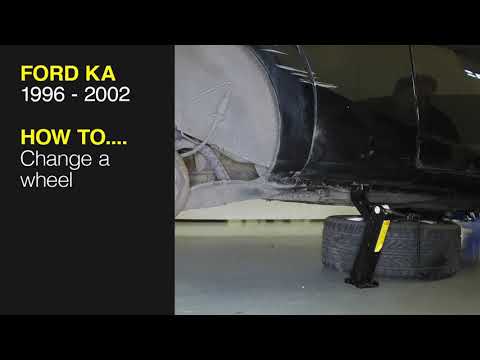
Ford Ka
(1996-2008 /
MK 1)
In this video tutorial, learn how to remove and replace the wheel with the spare on a Ford KA. First, open the rear hatch of the boot and start takin…

Ford Ka
(2016-2019 /
MK 3)
In this video, we see how to change the headlight bulb of the Ford KA MK3: inside the hood, we have enough space to reach in with our hands and remov…

Ford Ka
(1996-2008 /
MK 1)
The following steps will allow us to dismantle and replace the wheel with the spare one of the Ford KA. First of all, let's retrieve the spare wheel …
Other guides you may be interested in
|
How to Open the Bonnet on the Lancia Y
To open the bonnet on this vehicle, follow these simple instructions: first, open the driver's door and locate the lever positioned just below the dashboard, marked with an image of the vehicle with the bonnet open. Pull this lever towards you until you hear a "click" indicating the bonnet is released. Next, exit the cabin and stand in front of the bonnet to disengage the safety catch and complete the opening. To do this, slightly lift the bonnet, locate the yellow lever underneath, and pull it to the left to fully release and open the bonnet. by ScegliAuto More videos
|
|
For advertising on this site Write to info@scegliauto.com
ScegliAuto is not responsible for any inaccuracy of the data in the lists. To report any inaccuracy or your business (if you own the business in question), please write to info@scegliauto.com
Number of seconds to generate the page: 1.022
(c) ScegliAuto 2026 - info@scegliauto.com - Privacy policy VAT number: IT01247470535 |
