
|
Do it yourself
| |||
| ||||



Replace the Oil Pan Gasket on a Ford F-150 5.4L
Model: Ford F-150
MK 12
- Years:
2009, 2010, 2011, 2012, 2013, 2014
Video tutorial
This guide provides instructions to remove and replace the oil pan gasket on a Ford F-150 with a 5.4-liter engine. First, lift the vehicle and begin draining the engine oil by loosening the drain plug with a socket wrench. Next, remove all the screws on the sides of the oil pan, taking off the stabilizer bar and the metal shield first, as shown in the video. At this point, clean the base of the oil pan thoroughly and replace the gasket with a new one, using the original replacement part.
Updated on 13 May 2026 by ScegliAuto
Related tutorials
Ford F-150
(2009-2014 /
MK 12)
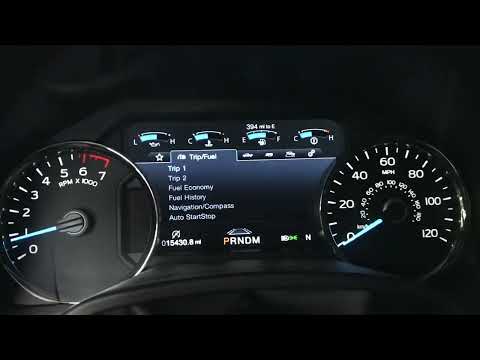
Below we will discover the instructions on how to reset the service maintenance light on the Ford F-150. First, get into the vehicle and start the in…
Ford F-150
(2015-2020 /
MK 13)
If you own a 2020 Ford F-150 and want to manually reset the engine oil light that keeps coming on the dashboard despite having already changed the oi…

Ford F-150
(2009-2014 /
MK 12)
.. and replace the engine oil pan on a Ford F-150 5.4L. First, raise the vehicle and start loosening all the bolts securing the oil pan on the sides.. …
Other guides you may be interested in
|
How to Reset the Tyre Light on a Toyota Aygo?
To reset the tyre light on a Toyota Aygo, start by locating the reset button, which is found in the glove compartment of the front passenger side. Turn on the car and ensure that the tyres are at the correct pressure. Then, press and hold the reset button for a few seconds until the tyre light either flashes or turns off, depending on the model. Release the button and wait for the reset procedure to complete. Restart your Toyota Aygo and check if the tyre light has turned off, indicating that the reset was successful. by ScegliAuto More videos
|
|
For advertising on this site Write to info@scegliauto.com
ScegliAuto is not responsible for any inaccuracy of the data in the lists. To report any inaccuracy or your business (if you own the business in question), please write to info@scegliauto.com
Number of seconds to generate the page: 0.084
(c) ScegliAuto 2026 - info@scegliauto.com - Privacy policy VAT number: IT01247470535 |
