
|
Do it yourself
| |||
| ||||


How to Replace the Rear Brake Pads on a Ford Focus Mk1
Model: Ford Focus
MK 1
- Years:
1998, 1999, 2000, 2001, 2002, 2003, 2004
Video tutorial
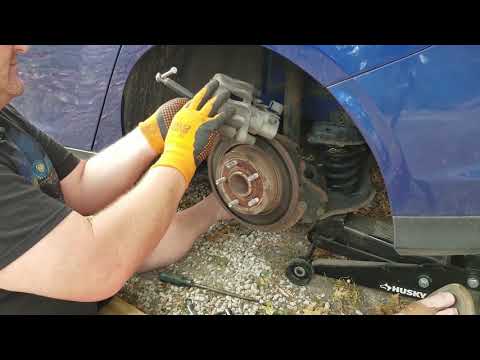
Let’s see how to replace the brake pads on a Ford Focus MK1: first, open the bonnet and remove the brake fluid cap. Unscrew the bolts of the rear wheel and lift the vehicle onto a jack. Clean the caliper with a wire brush and WD-40, then open it while keeping it attached to avoid damaging the circuit, and remove the worn pads. Clean the area of dust and debris and spray with WD-40. Place the new pads in position and refit the caliper. Tighten the bolts, lubricate with copper grease spray, and remount the wheel. Repeat the process on the other side.
Updated on 15 July 2026 by ScegliAuto
Related tutorials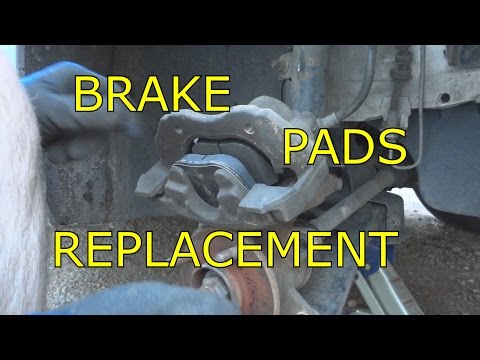
Ford Focus
(2004-2011 /
MK 2, Focus 2)
Let's look at replacing the rear brake pads on a Ford Focus. Lift the car on a column lift to the desired height, then remove the wheel. Unscrew the …
Ford Focus
(2011-2018 /
MK 3)
Replacing the rear brake pads? Here's how to remove the pads on the Focus brakes. Lift the car on a column lift to the desired height, then remove th…

Ford Focus
(2011-2018 /
MK 3)
How to change the rear brake pads on a Ford Focus? Lift the car with a column jack to the desired height, then remove the wheel (using a telescopic w…
Other guides you may be interested in
|
How to Reset the Tire Pressure Light on a MG ZS?
On the instrument cluster of the MG ZS, the tire pressure light that appears can be reset by inflating the tires to the correct pressure: this value will be indicated on the sticker attached to the driver's door pillar. Once the tires have been properly inflated, you can turn on the instrument cluster and navigate through the menu until you find the option that indicates tire pressure: if this screen shows the new values, the light will turn off; otherwise, you will need to drive for a few miles so that the sensors can read the new values and turn off the light afterward. by ScegliAuto More videos
|
|
For advertising on this site Write to info@scegliauto.com
ScegliAuto is not responsible for any inaccuracy of the data in the lists. To report any inaccuracy or your business (if you own the business in question), please write to info@scegliauto.com
Number of seconds to generate the page: 0.077
(c) ScegliAuto 2026 - info@scegliauto.com - Privacy policy VAT number: IT01247470535 |
