
|
Do it yourself
| |||
| ||||


Installation of Side Steps
Model: Honda CR-V
MK 4
- Years 2012-2017
For the modification, you need to obtain the original side steps, then position the vehicle on a ramp and start the work by removing the protective covers. Attach paper templates to the removed covers and mark the cutting points. Use a drill to make holes at the corners to be cut, then use a jigsaw to make the cuts. Insert soundproofing material in the passenger side partitions. Install the metal support structure following the attached instructions. Mount the supports under the body and install the covers by passing them over the supports through the holes just made. Secure the side step to the supports by tightening the bolts located underneath. Tighten the bolts well and reassemble all the covers. Repeat the same operation on the driver's side.
Updated on 3 February 2026 by ScegliAuto
Video tutorial
Related tutorials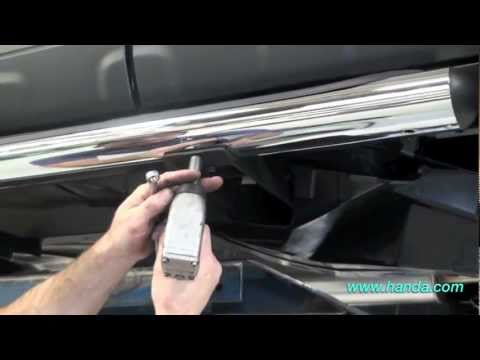
Honda CR-V
(2007-2012 /
MK 3)
Lift the vehicle on a lift and detach the plastic covers on both the right and left sides, in the central area of the vehicle, by removing the plasti…

Honda CR-V
(2007-2012 /
MK 3)
Along the side edges of the car roof, there are two rubber strips containing rectangular caps that need to be removed: beneath the caps are the capti…
Honda CR-V
(2002-2007 /
MK 2)
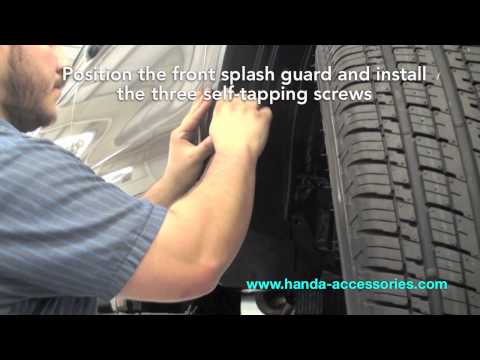
To prevent the front wheels from dirtying the vehicle during winter, it is possible to install mud flaps. For this modification, obtain the original …
Other guides you may be interested in
|
How to Open a Stuck Boot on the Peugeot 407?
On the Peugeot 407, the boot may become stuck, possibly due to a problem with the control button or the lock actuator. In such cases, you can perform an emergency opening by following the simple procedure shown in this tutorial. First, open the rear doors, then lower the seat back by operating the release lever. Next, go inside the boot, locate the lock, and manually operate it using a flathead screwdriver. The boot will then be free to open. by ScegliAuto More videos
|

|
For advertising on this site Write to info@scegliauto.com
ScegliAuto is not responsible for any inaccuracy of the data in the lists. To report any inaccuracy or your business (if you own the business in question), please write to info@scegliauto.com
Number of seconds to generate the page: 0.264
(c) ScegliAuto 2026 - info@scegliauto.com - Privacy policy VAT number: IT01247470535 |
