
|
Do it yourself
| |||
| ||||


What Does the "Service Passive Entry" Message Mean on the 2020 Jeep Renegade?
Model: Jeep Renegade
520, MK 1, BU
- Years:
2014, 2015, 2016, 2017, 2018, 2019, 2020, 2021, 2022, 2023, 2024, 2025
This video is currently unavailable
On 2020 Jeep Renegade vehicles, the message "SERVICE PASSIVE ENTRY" may appear on the display. This message indicates to the driver that the car key/remote is experiencing reading issues. This can occur if the remote falls to the ground and the internal battery shifts. To remedy this message, remove the key from the ignition socket and reinsert it for 60 seconds. Then, with the key inserted, press the brake pedal, release it, and remove the key. Once reinserted, the problem should not reoccur.
Updated on 25 August 2026 by ScegliAuto
Related tutorials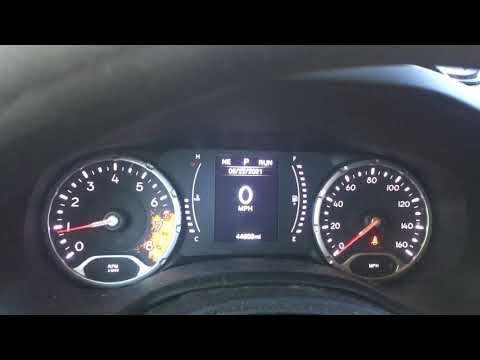
Jeep Renegade
(2014-2021 /
)
This guide shows how to reset the Passive Entry system, indicated by a key-shaped light with three WiFi lines next to the mileage. This system allows…

Jeep Renegade
(2014-2026 /
520, MK 1, BU)
Today's instructions will allow us to reset the service light and maintenance interval of the Jeep Renegade. First, we get into the car and start the…

Jeep Renegade
(2014-2021 /
)
If you have just changed the oil in your new 2022 Jeep Renegade, but the warning message keeps appearing on the dashboard display, you need to perfor…
Other guides you may be interested in
|
Frequently Asked QuestionsHow to Set the Date and Time on the Iveco Daily
Today, we will see in this video tutorial how to change the date and time on the Iveco Daily. First, get into the vehicle and turn on the instrument panel; then go to the vehicle settings on the central display, pressing the relevant option for date and time. At this point, press the "set" button located at the top, using the physical arrow buttons to set both the date and time; finally, exit the onboard computer menu to save the changes made! by ScegliAuto More videos
|
|
For advertising on this site Write to info@scegliauto.com
ScegliAuto is not responsible for any inaccuracy of the data in the lists. To report any inaccuracy or your business (if you own the business in question), please write to info@scegliauto.com
Number of seconds to generate the page: 0.107
(c) ScegliAuto 2026 - info@scegliauto.com - Privacy policy VAT number: IT01247470535 |
