
|
Do it yourself
| |||
| ||||



How to enable or disable the passenger airbag in the Mazda CX5 MK1
Model: Mazda CX-5
MK 1, KE
- Years:
2012, 2013, 2014, 2015, 2016, 2017
Video tutorial
In this video, we will see how to enable or disable the passenger airbag on a Mazda CX5 MK1: this operation may be necessary when we need to transport a very small child in the front seat, who requires a rear-facing car seat. In fact, for very small children, the airbag can be extremely dangerous, so it is necessary to deactivate it. We will use the manual ignition key of the car, which we will use in the specific lock located inside the glove compartment, on the left side. We will insert the key and move it to "on" or "off" according to the current needs. When the airbag is deactivated, a warning light will illuminate on the dashboard.
Posted on 17 March 2025 by ScegliAuto
Related tutorials
Mazda CX-5
(2012-2017 /
MK 1, KE)
In the following guide dedicated to those of you who own a first-generation Mazda CX5 (year 2016), we will explain how you can replace the cabin air …

Mazda CX-5
(2017-2024 /
MK 2)
In this guide, learn how to check and store the tyre pressure on your Mazda CX5. First, check the correct pressure on the label located on the driver…
Mazda CX-5
(2012-2017 /
MK 1, KE)
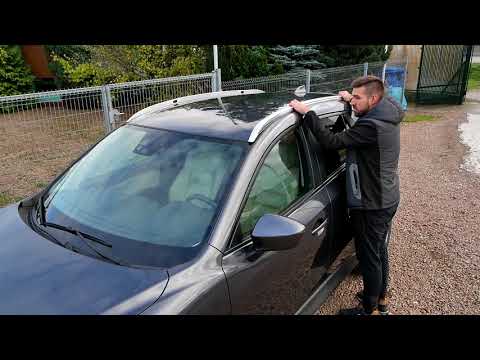
Let's see how to install these beautiful aluminium roof bars on the Mazda CX5. These can be found on Amazon with the code B09JSQNZPW and cost £225.78…
Other guides you may be interested in
|
How to Reset the AdBlue Warning Light on a Peugeot Boxer
To reset the AdBlue system on a 2018 Peugeot Boxer, follow these steps: Start the engine and ensure the vehicle is parked in a well-ventilated area. Locate the "MENU" button on the dashboard or steering wheel controls. Press and hold the "MENU" button until the menu options appear on the display. Use the arrow buttons or scroll wheel to access the "Vehicle Settings" or "Settings" menu. Select the "AdBlue" or "AdBlue System" option. Look for the "Recharge" or "Reset" option in the AdBlue menu. Once you find the reset option, select it and confirm your choice when prompted. The system will be reset, and a confirmation message may appear on the display. Turn off the engine and wait a few seconds. Restart the engine and check that the AdBlue system has been reset. by ScegliAuto More videos
|
|
For advertising on this site Write to info@scegliauto.com
ScegliAuto is not responsible for any inaccuracy of the data in the lists. To report any inaccuracy or your business (if you own the business in question), please write to info@scegliauto.com
Number of seconds to generate the page: 0.754
(c) ScegliAuto 2026 - info@scegliauto.com - Privacy policy VAT number: IT01247470535 |
